
Integrating MuleSoft with NetSuite Using RESTlet connector
Introduction
- RESTlet is a REST-like service written in SuiteScript (JavaScript) that exposes NetSuite data and operations via HTTPS.
- It allows you to:
- Run custom Suite Script logic.
- Fetch or update NetSuite records.
- Perform complex validations before record creation.
- Connect external systems like MuleSoft with full control.
- It offers 2 different connection type:
- RESTlet Token.
- RESTlet Login.
- It offers 4 different operations:
- Call RESTlet (DELETE): It calls the NetSuite RESTlet services using the HTTPs DELETE method.
- Call RESTlet (GET): It calls the NetSuite RESTlet services using the HTTPs GET method.
- Call RESTlet (POST): It calls the NetSuite RESTlet services using the HTTPs POST method.
- Call RESTlet (PUT): It calls the NetSuite RESTlet services using the HTTPs PUT method.
- It requires only 3 things to be configure:
- Script: It is the internal ID for the script created in NetSuite.
- Deploy: It is the deployment ID for the particular script created in NetSuite.
- Data: It is the payload to be sent or the filter conditions.
- In this blog, we’ll be making use of Suite Script deployed in NetSuite which will be invoked by the RESTlet connector. (Call RESTlet(POST) operation).
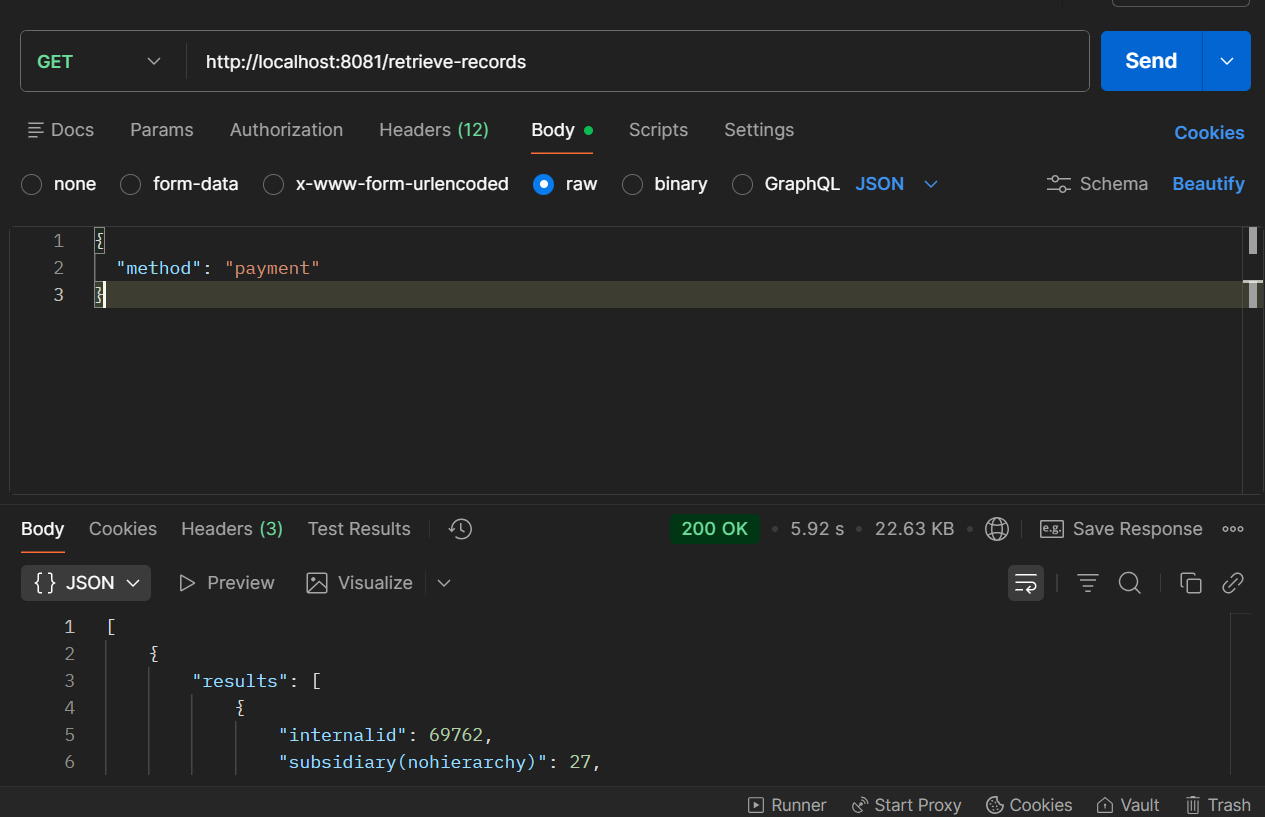
Note: There is a Suite Script deployed in the NetSuite Sandbox1 environment, and I’ll be utilizing it. The script is written in such a way that, when it is invoked, it will return collection of objects. It accepts the request body having method and filter condition(not mandatory).
Demonstration
Steps:
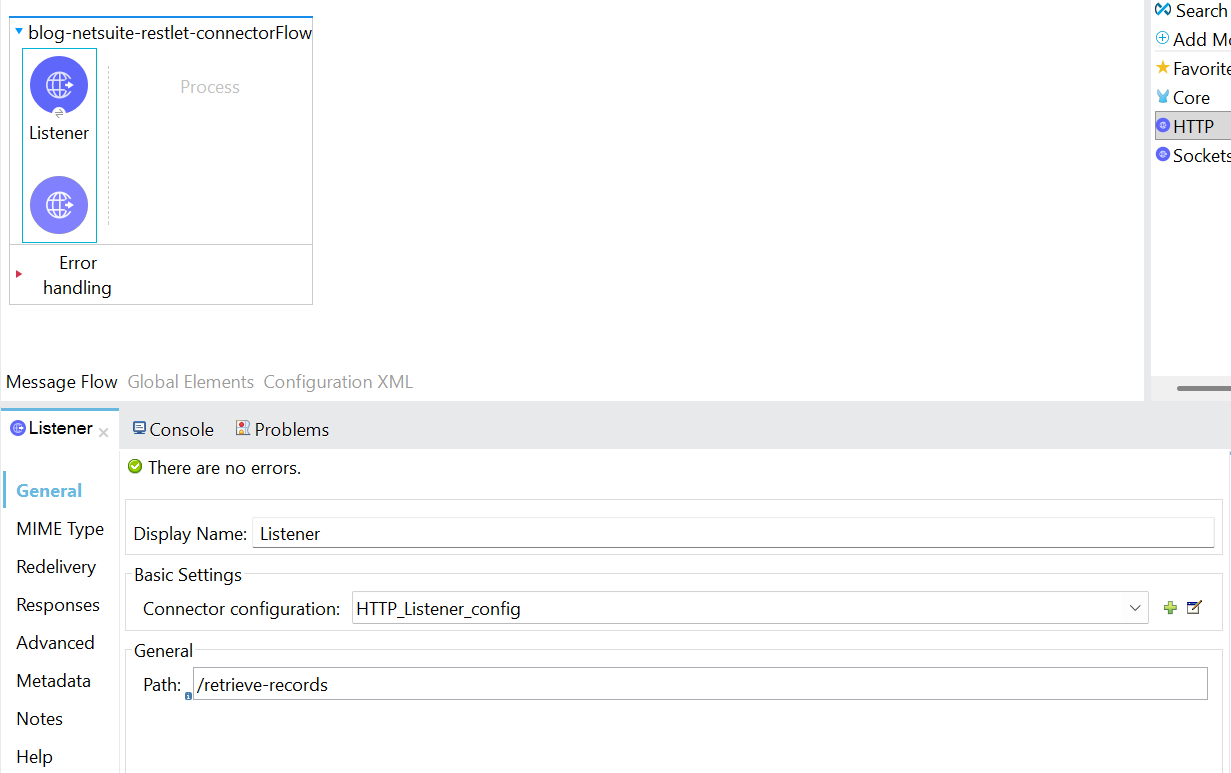
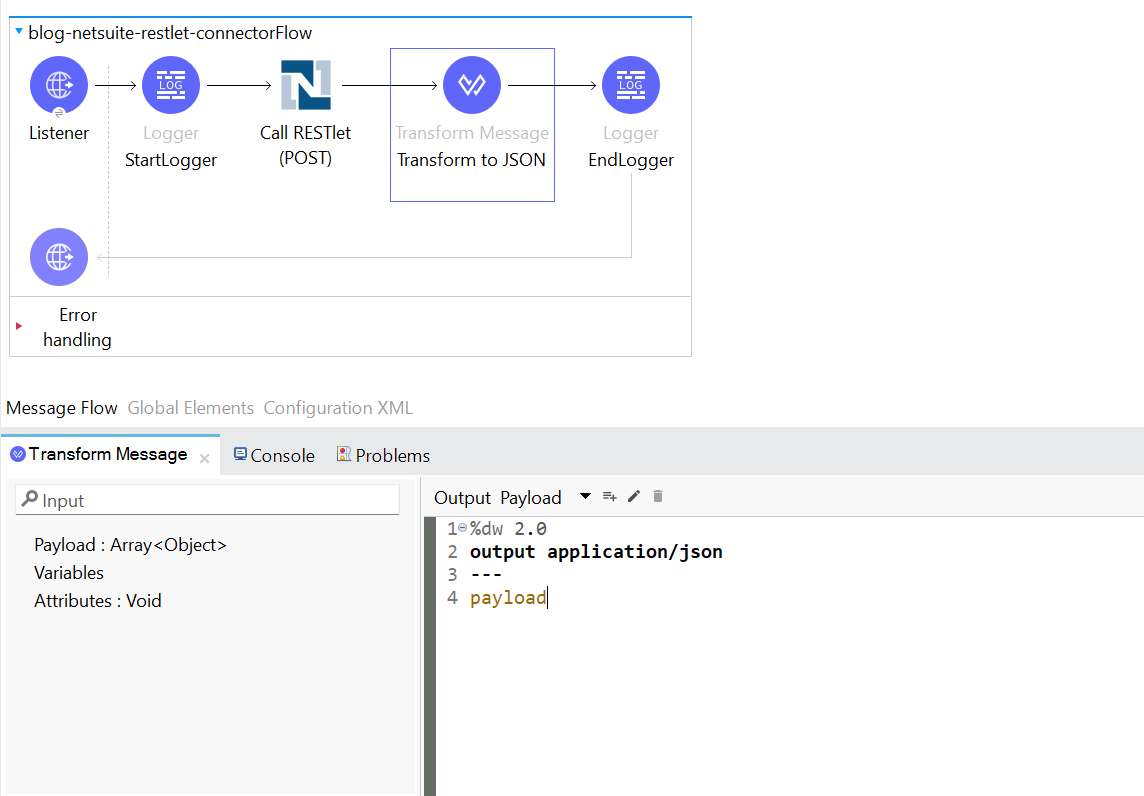
- To begin, a new Mule project needs to be created. drag and drop an HTTP listener into the canvas. Configure the listener, and set the host to All interface (0.0.0.0), port number as 8081. Set the path as /retrieve-records.
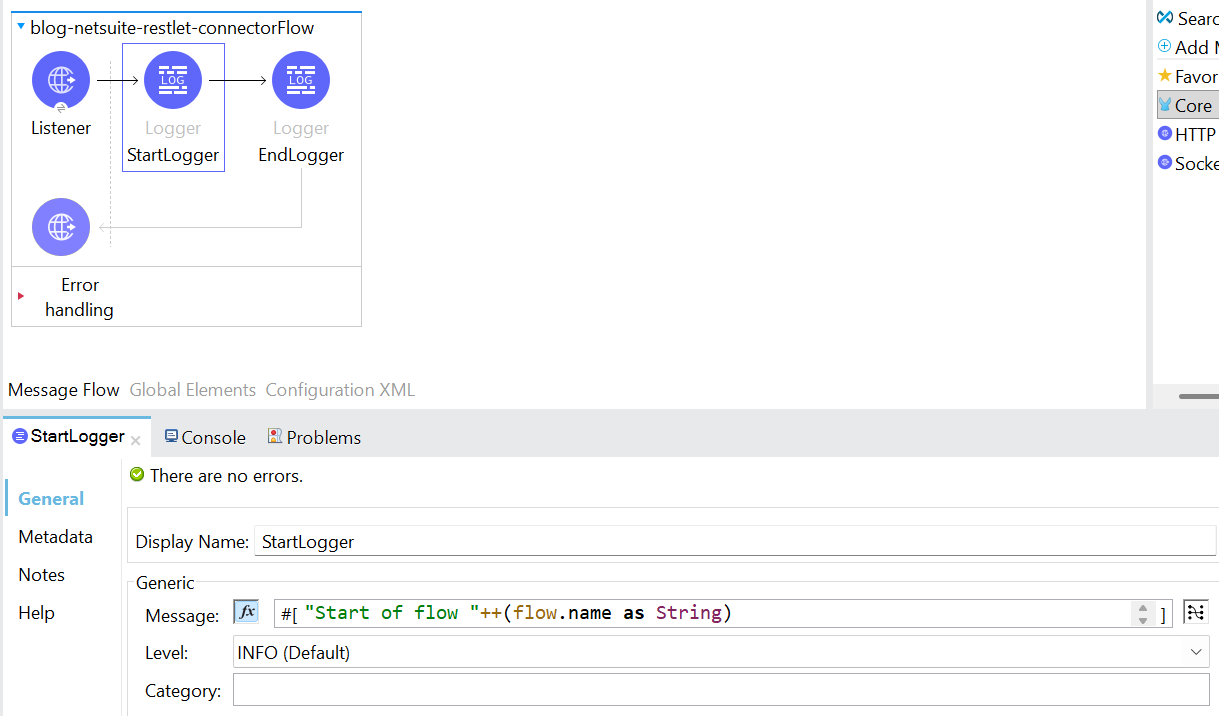
- Following the addition of the listener component, include two loggers to mark the beginning and the end of the flow. By logging the message “Start of flow” ++ (flow.name as String), in expression mode.
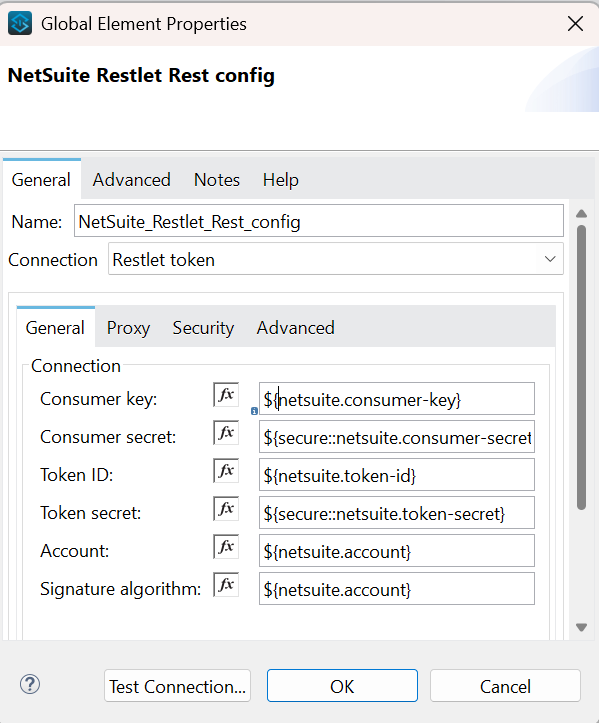
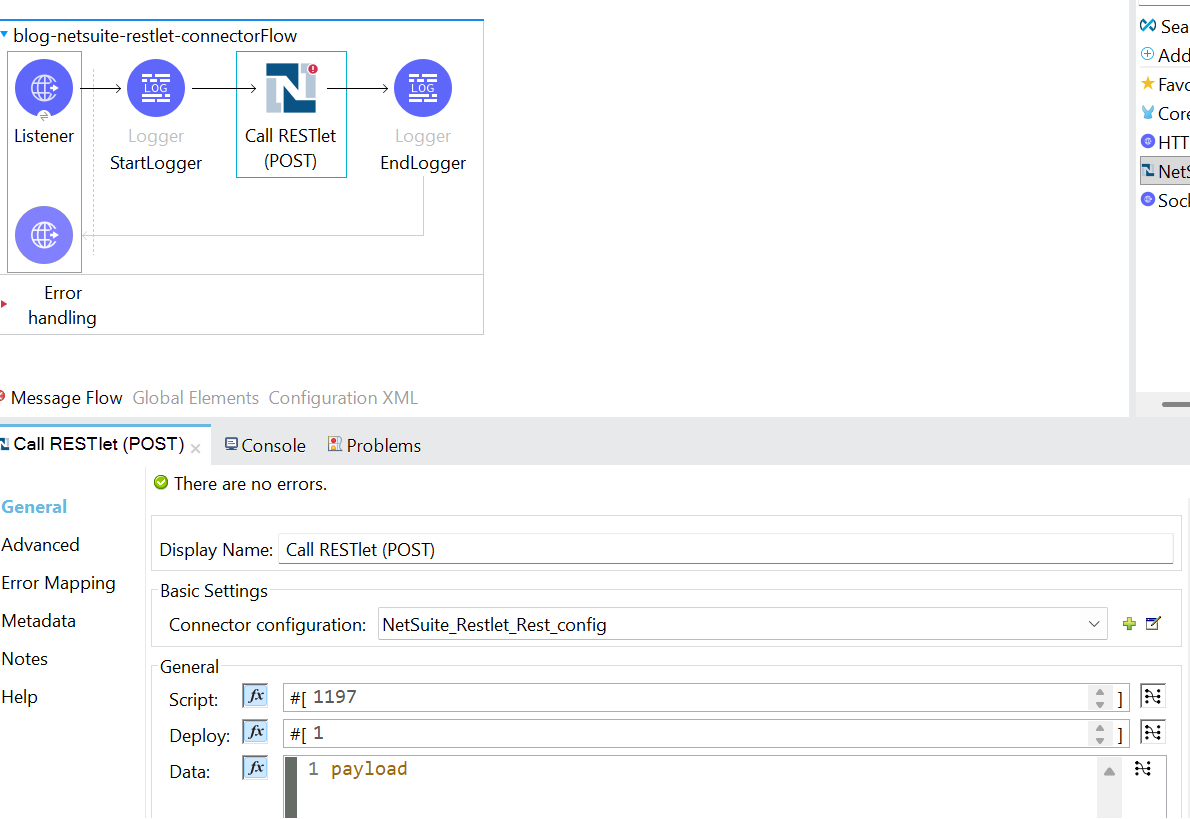
- Then, add the NetSuite RESTlet connector into the mule pallet and drag & drop the Call RESTlet(POST) into the Mule flow. Configure the connection as Restlet token. Then configure the scriptId and deployment id for the script. For this instance, it is 1197 and 1.
- Next, add a transform message, to transform the response in JSON.
- The setup is ready to be tested. The request body consists of method, for which the value is passed as payment.
🚀 Looking to Integrate MuleSoft with NetSuite?
Seamless integration between MuleSoft and NetSuite requires more than just configuration — it demands secure authentication, optimized data transformation, and scalable architecture.
At TGH Software Solutions Pvt. Ltd., we specialize in enterprise-grade MuleSoft integrations, NetSuite RESTlet implementation, API-led connectivity, and end-to-end ERP integration solutions.
Whether you need:
• NetSuite RESTlet development
• MuleSoft connector configuration
• Secure token-based authentication setup
• Performance optimization
• Full enterprise integration architecture
Our certified experts are ready to help.
📞 Call Us: +91 93109 47352
🌐 Website: https://www.techygeekhub.com
📩 Email: info@techygeekhub.com
🔗 Contact Us: https://www.techygeekhub.com/contact-us
Let’s build scalable, secure, and future-ready enterprise integrations together.