
Implementing Upsert operation in NetSuite.
Introduction
- The MuleSoft NetSuite Connector is a pre-built connector that allows Mule applications to interact directly with NetSuite using its SOAP-based web services.
- It abstracts the complexities of NetSuite APIs and enables developers to perform operations such as create, update, delete, search, and retrieve records with minimal configuration.
- As it is built on top of NetSuite’s SOAP-based APIs, the request and response is in XML format.
- If we perform operations like upsert-list, add-list, update-list and delete-list, we’ll be able to process only 100 records at once or else it throws an error “MAX_RCRDS_EXCEEDED”.
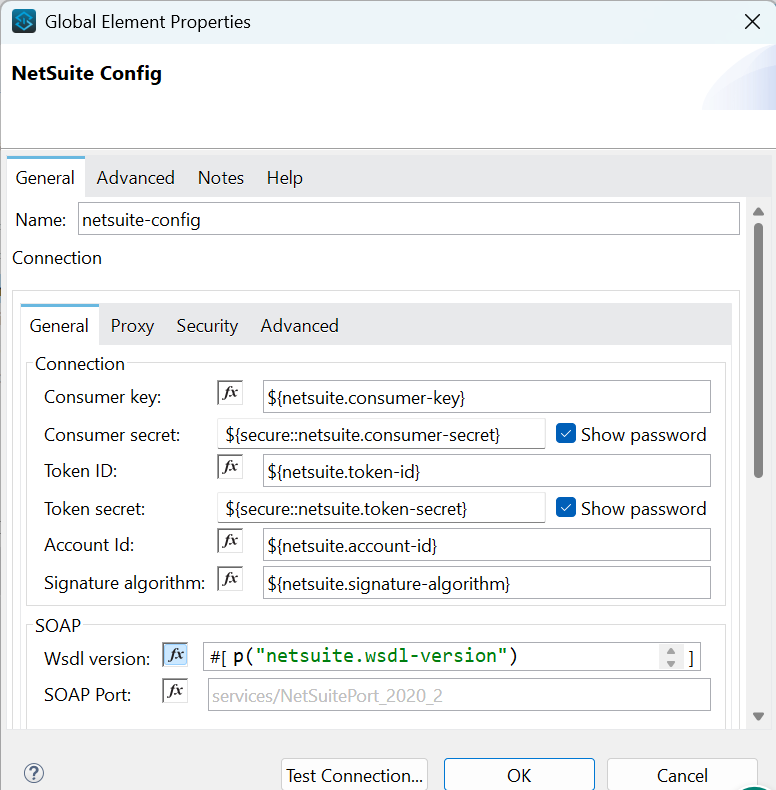
- IT offers a single type of connection in which the connector configuration requires the following things:
- Consumer key.
- Consumer secret.
- Token id.
- Token secret.
- Signature algorithm.
- Account id.
- WSDL version.
- Let’s understand this with a usecase. In this, we’ll perform an upsert operation for a customer record.
Demonstration
Steps:
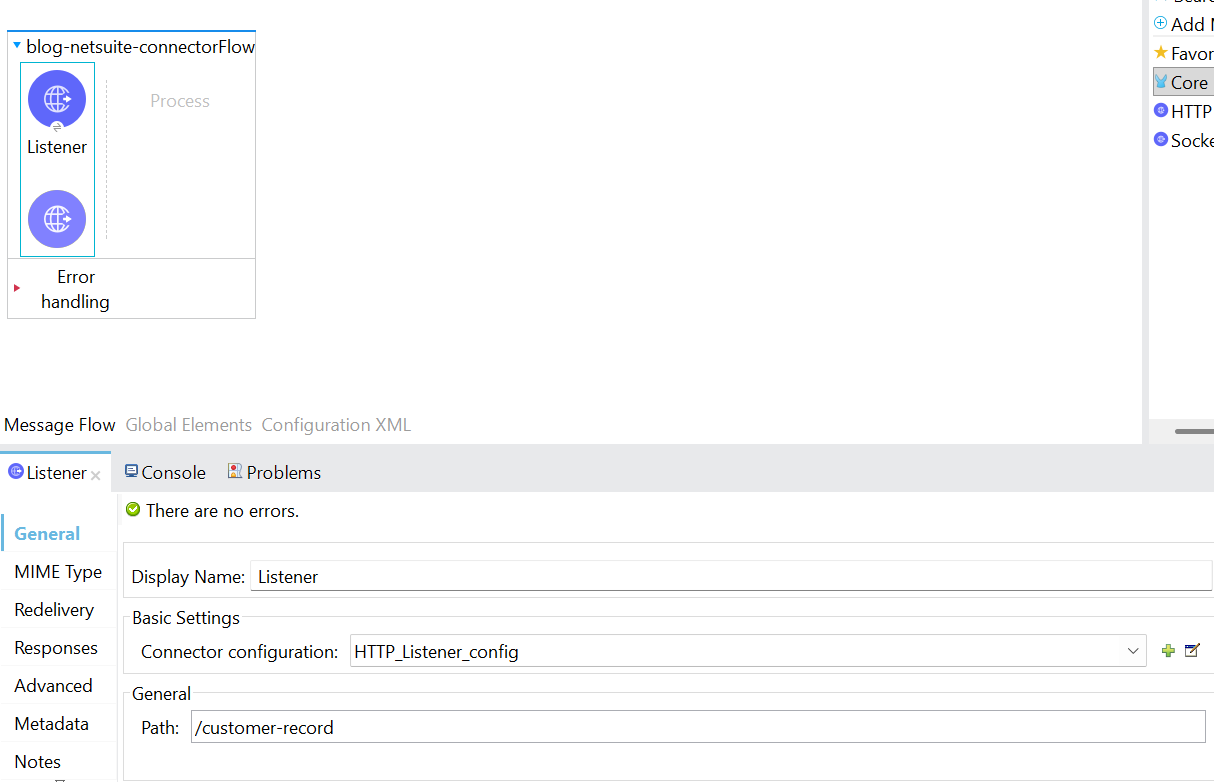
- To begin, a new Mule project needs to be created. Then, an HTTP listener component needs to be dragged and dropped into the project from the HTTP module. Configure the listener, and set the host to All interface (0.0.0.0), port number as 8081. Set the path as /customer-record.
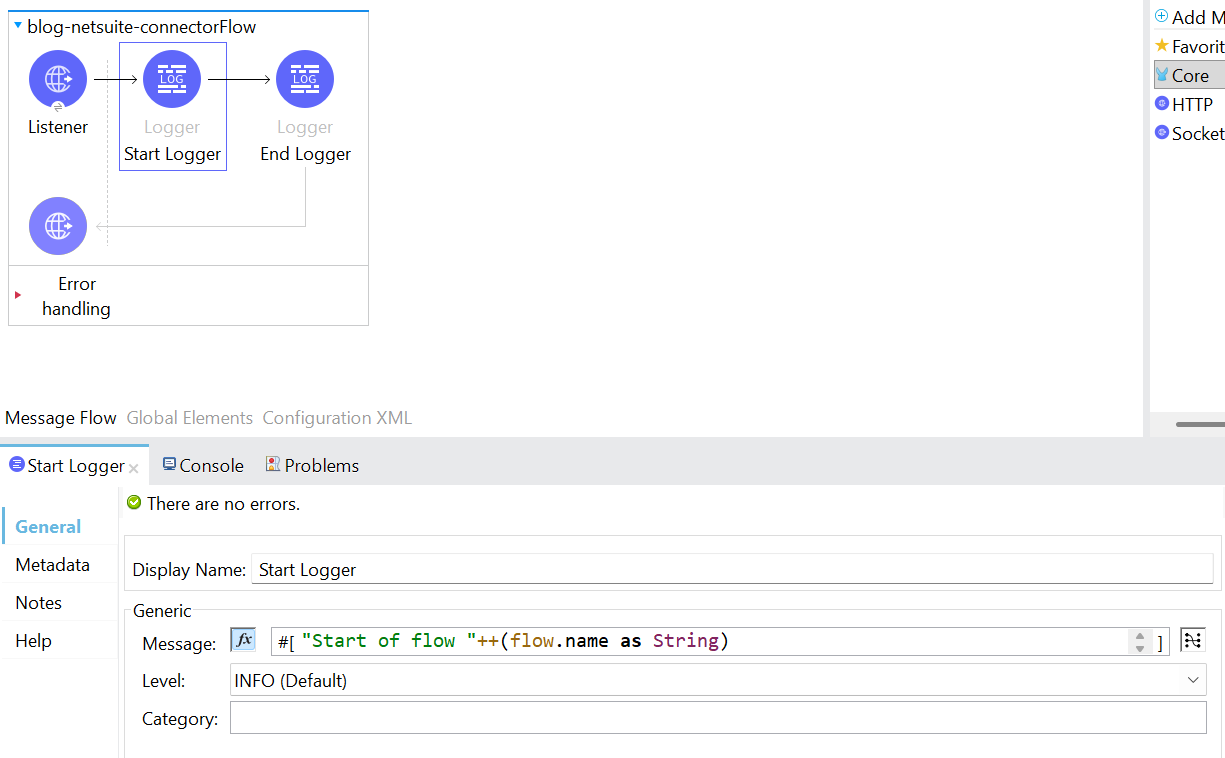
2. Following the addition of the listener component, include two loggers to mark the beginning and the end of the flow. By logging the message “Start of flow” ++ (flow.name as String), in expression mode.
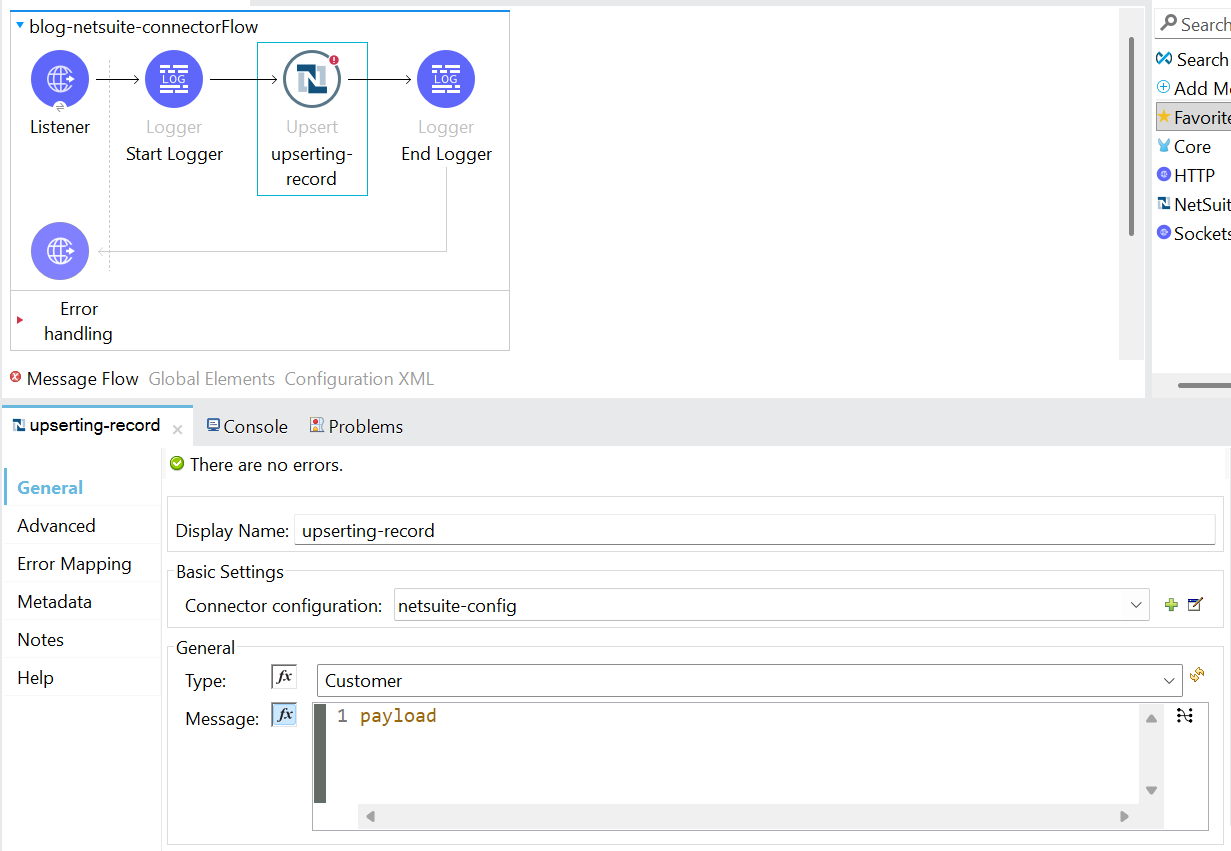
3. Then, add the NetSuite module into the Mule palette and drag & drop the get component into the Mule flow. Configure the connector configuration, Ref Type and Type.
*Note:
- Ref Type defines the structure of the reference object that MuleSoft sends to NetSuite to identify or link a record.
- Type specifies which NetSuite record type the reference belongs to.
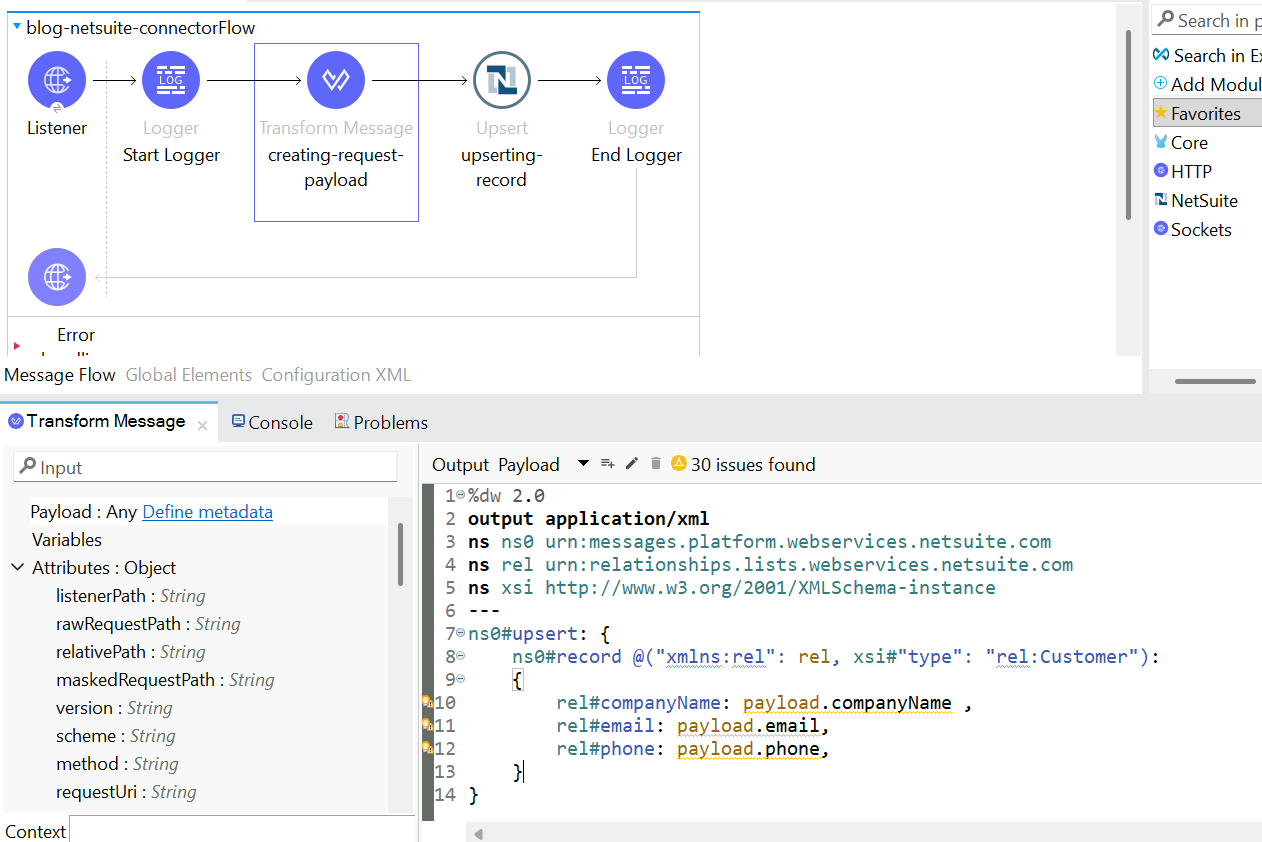
- Next, add the transform message before the NetSuite connector to form the XML request body.
4. Then, add a transform message for transforming the response into JSON format.
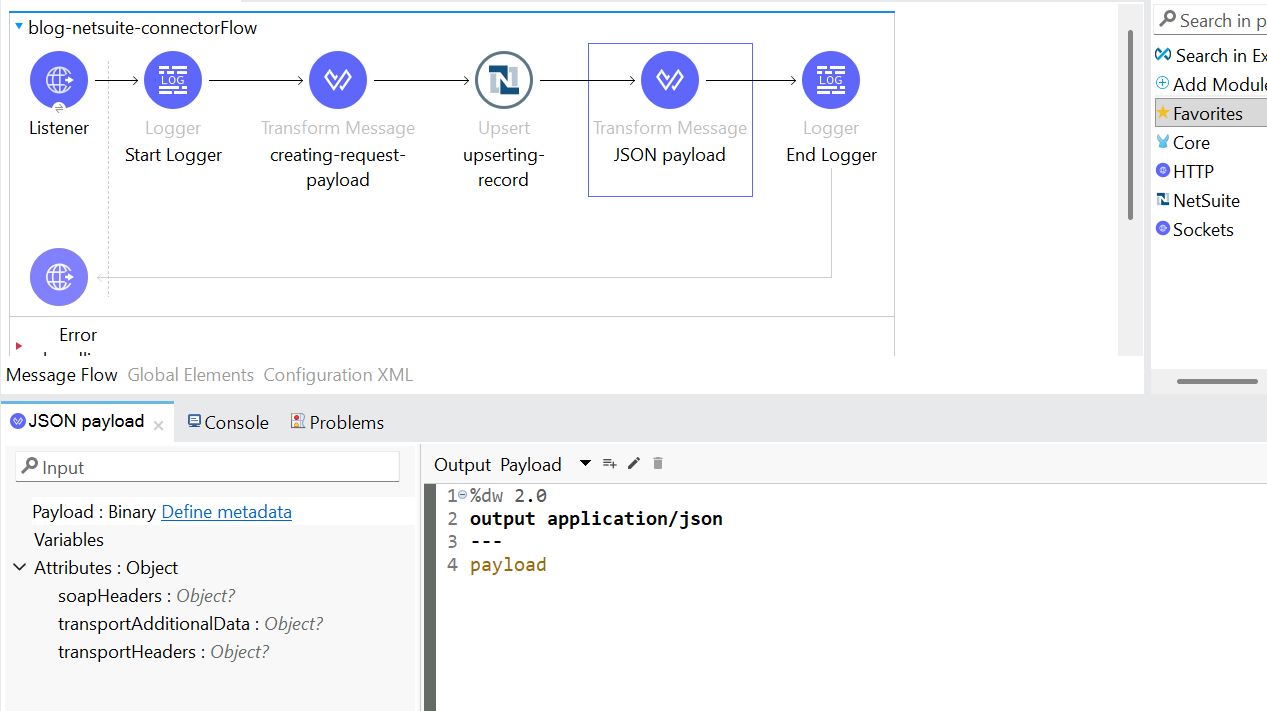
*Note: Add writeAttributes=true in the header section of the transform message if you want the attributes to be displayed. When transforming from XML to JSON, the attributes will be lost.
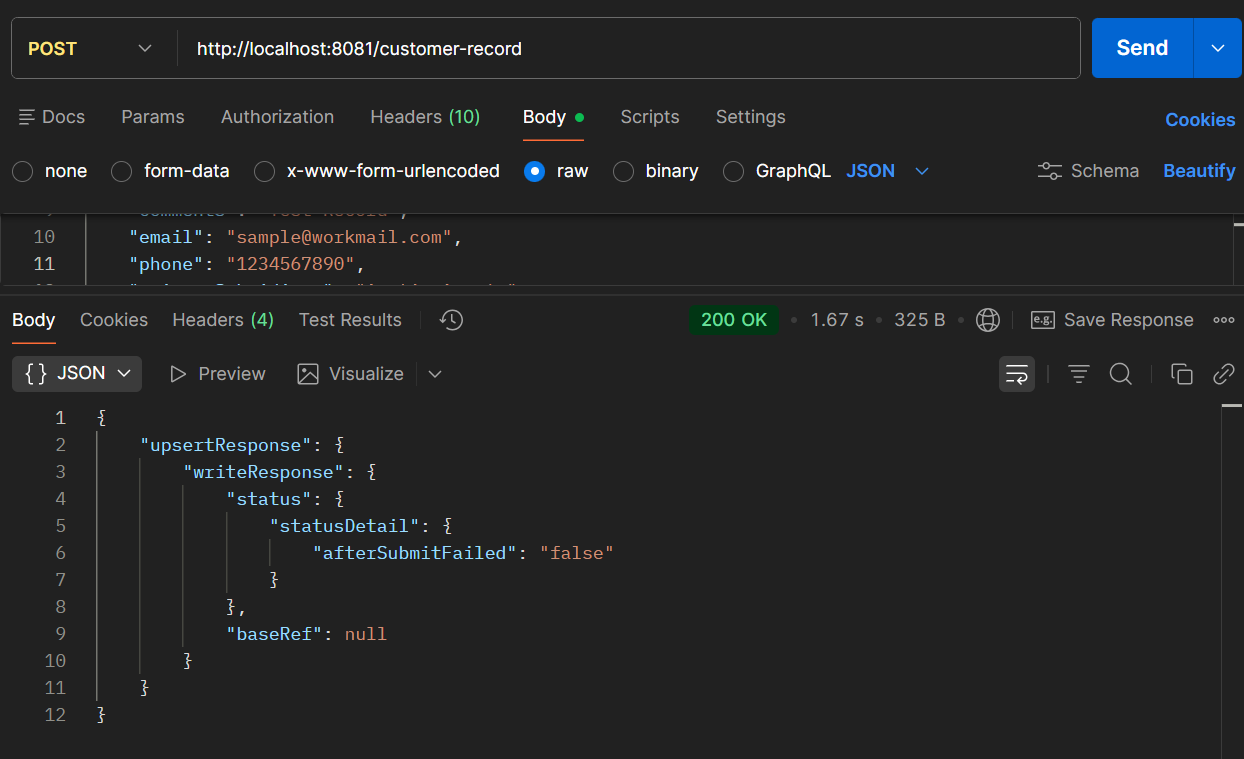
5. The application is ready to be deployed and tested.
🚀 Ready to Integrate MuleSoft with NetSuite Seamlessly?
Integrating MuleSoft with NetSuite using RESTlet requires the right architecture, secure authentication, and optimized data transformation for enterprise-grade performance.
At TGH Software Solutions Pvt. Ltd., we specialize in:
• MuleSoft integration services
• NetSuite RESTlet development & configuration
• Secure token-based authentication setup
• Enterprise ERP & API-led connectivity
• End-to-end digital transformation solutions
Whether you’re building new integrations or optimizing existing ones, our certified experts ensure secure, scalable, and high-performing implementations tailored to your business needs.
📞 Call Us: +91 88106 10395
🌐 Website: https://www.techygeekhub.com
📩 Email: info@techygeekhub.com
🔗 Contact Us: https://www.techygeekhub.com/contact-us
Let’s build powerful, secure enterprise integrations together