
Understanding Rate Limiting Policy in Mulesoft
Rate Limiting Control Policy in MuleSoft
Overview:
- In today’s world APIs play a critical role in enabling communication between applications. As API consumption increases, controlling the volume of requests becomes essential to safeguard backend systems from overload, misuse, and uneven traffic patterns. MuleSoft’s Rate Limiting Control Policy provides a powerful and flexible mechanism to manage incoming API requests effectively.
What is Rate Limiting Policy?
- The Rate Limiting Control Policy in MuleSoft restricts the number of API requests allowed within a defined time window, protecting backend services by rejecting excess requests and ensuring stable performance.
In simple terms:
- It sets a limit on requests per time interval.
- Excess requests beyond the configured quota are blocked until the next window.
- It helps ensure fair usage of your APIs and protects your backend systems.
Why Use Rate Limiting Control Policy?
- Applying a rate limiting strategy is critical for modern API management. Below are key reasons why this policy is important:
- Protect Backend Systems:
- By restricting the number of requests processed within a time window, you prevent backend overload and maintain stable application performance.
- Prevent Abuse and Misuse:
- Rate limiting controls abusive behavior like brute-force attacks or misconfigured clients sending excessive traffic.
- Fair Usage Across Clients:
- If multiple clients are consuming your API, you can ensure no single client monopolizes resources.
How Rate Limiting Works:
At its core, rate limiting operates on two main parameters:
- Quota (Number of Requests) – The maximum number of allowed requests.
- Time Window – The time frame in which the quota applies.
For example, you might configure a policy to allow:
- 100 requests per minute
- 10 requests per second
If the incoming requests from clients exceed these thresholds within the window, additional requests are denied. MuleSoft returns standard status code 429 (Too Many Requests) when limits are exceeded.
Let us see, sample usecase –
Prerequisite:
- Anypoint platform account.
Demonstration: –
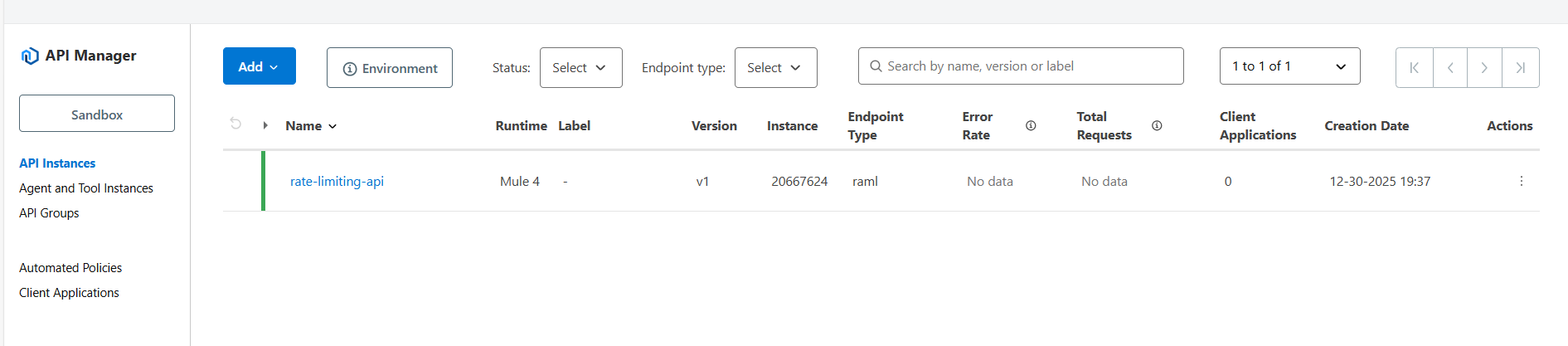
Note: I have already deployed a Mule application with Autodiscovery enabled.
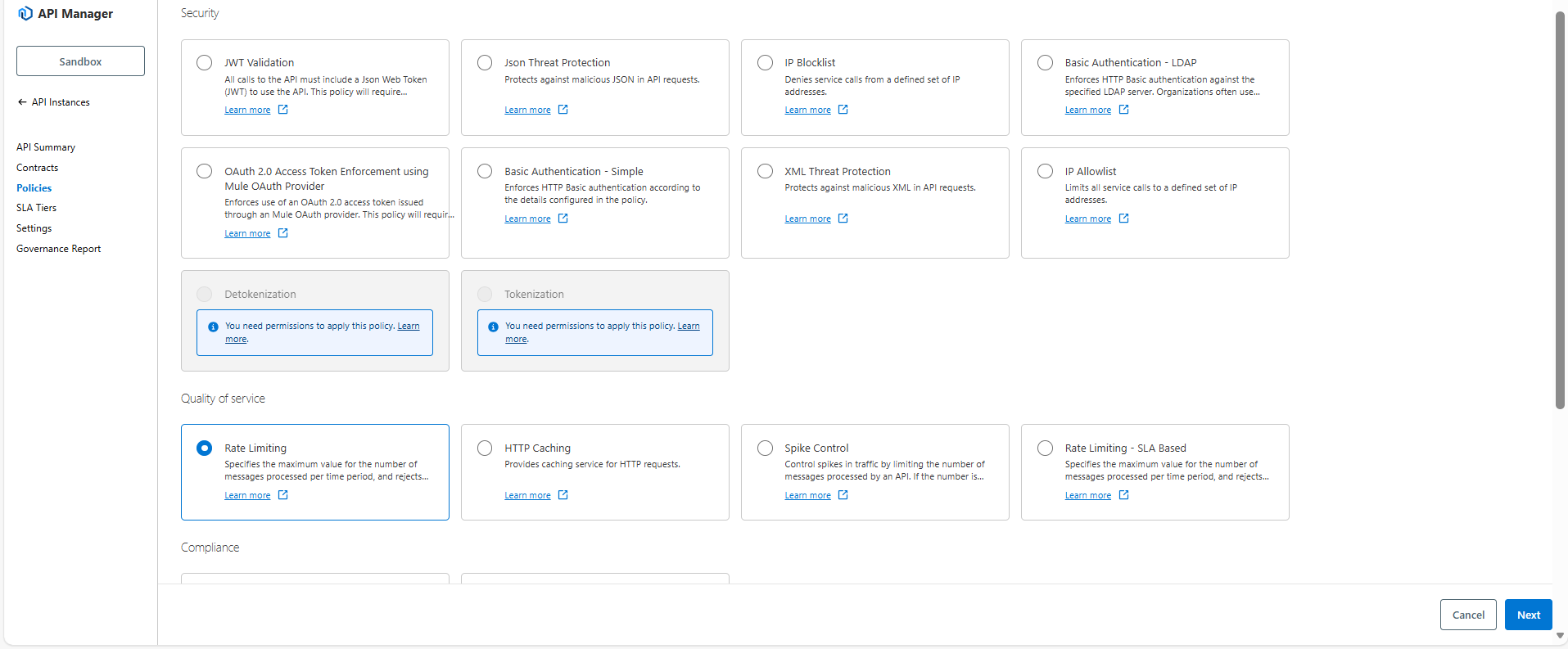
- Select Rate Limiting policy, click on Next.
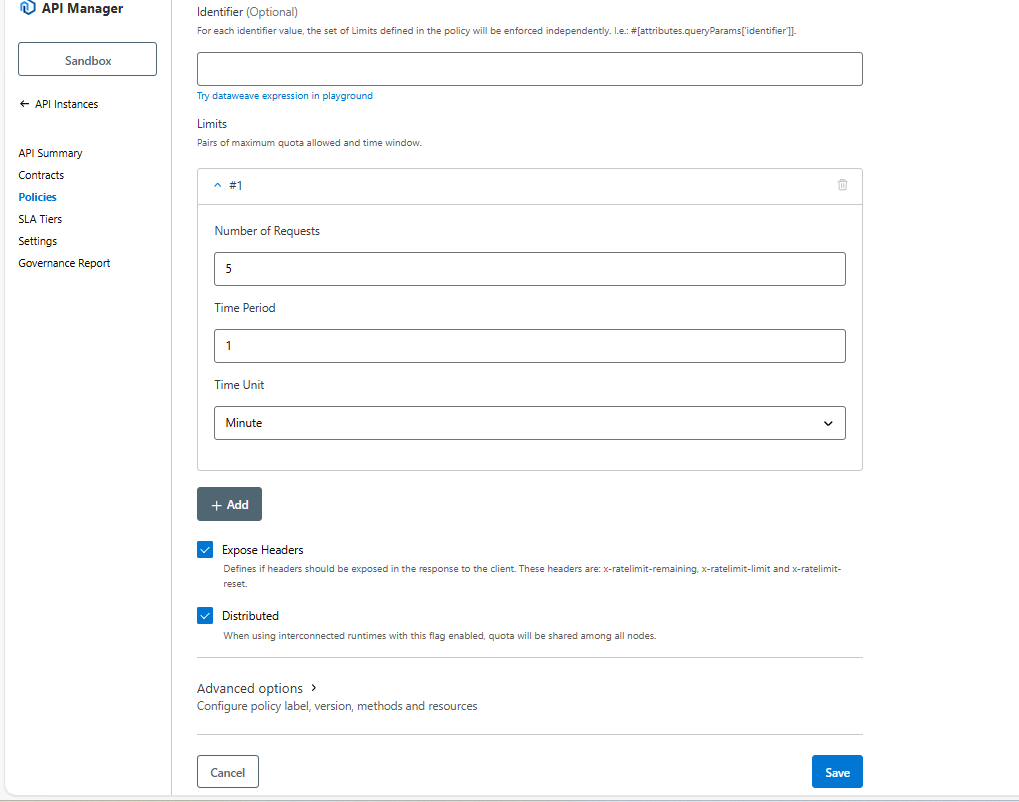
- Configure Rate Limiting policy.
Here, I’m giving
- Number of Request: 5
- Time period: 1
- Time unit: Minute
| Parameter | Description | Example |
| Identifier | The selector key using a DataWeave or regular String,an identifier is the value Mule uses to group incoming requests and apply limits. | 1. 100 requests per minute per client2. 50 requests per minute per IP
3. 10 requests per minute for one user. #[attributes.clientId], #[attributes.remoteAddress], #[attributes.queryParams.userId] |
| Number of Reqs | The quota available per window | A positive number |
| Time Period | The amount of time for which the quota is to be applied | A positive number |
| Time Unit | The time in milliseconds, seconds, minutes, or hours | Minutes |
| Distributed | When using interconnected runtimes with this flag enabled, quota will be shared among all nodes. | checked or unchecked |
| Expose Headers | The option that defines whether to expose the x-ratelimit headers as part of the response | checked or unchecked |
| Advanced options |
|
1. All HTTP methods2. Apply limit only to particular methods and resources that you can define (POST/orders or GET/health) |
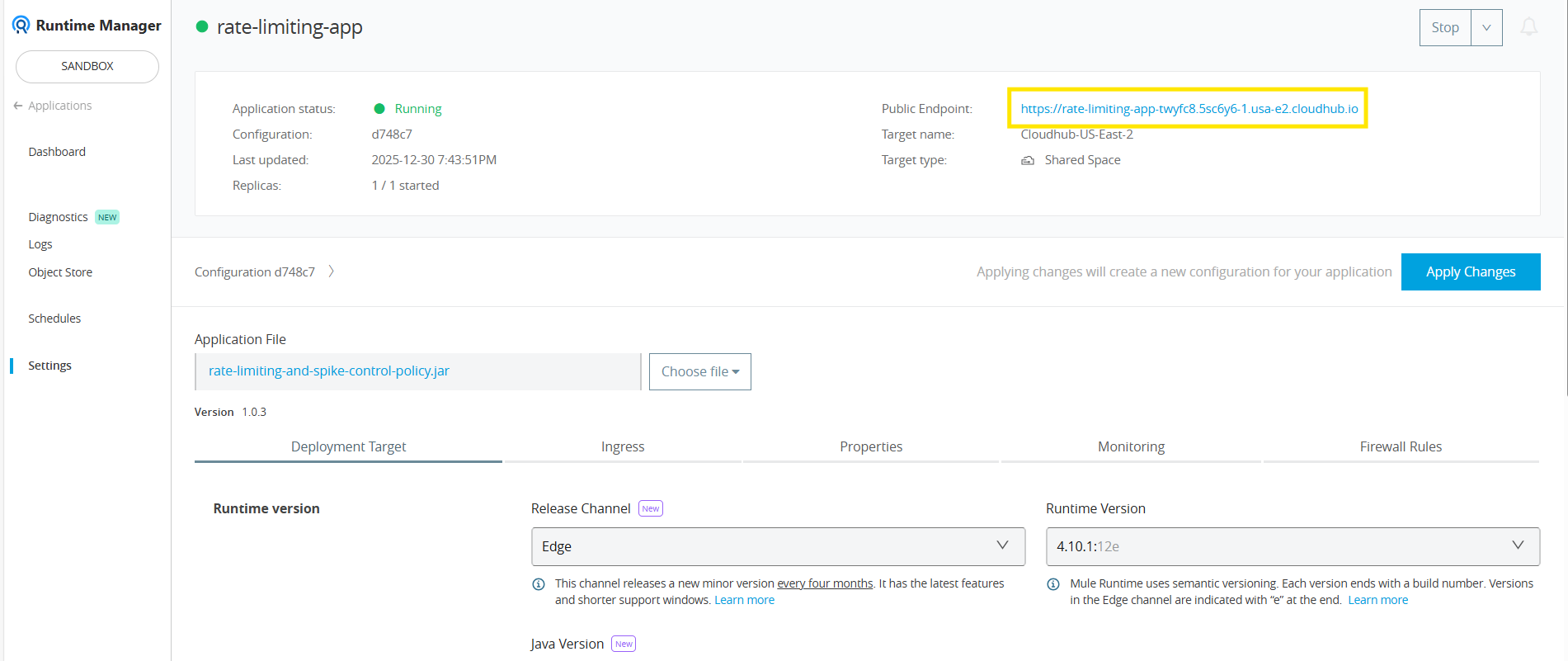
- Go to Runtime manager, copy your Application Public endpoint URL.

- Goto postman & paste the URL with the endpoint.
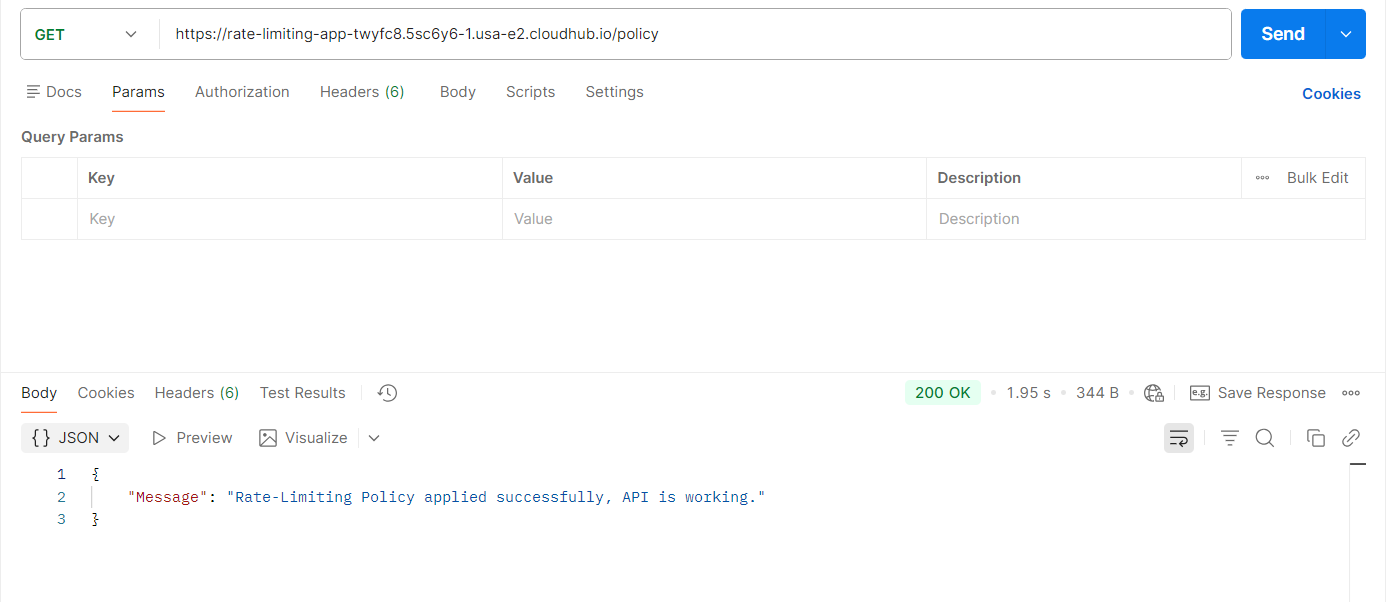

I have enabled the headers so you can see the total request limit, the remaining limit, and the time at which the limit will reset — all displayed within the response headers:
x-rateLimit-limit: Total allowed number of requests in the current time window.
x-rateLimit-remaining: Number of remaining requests before hitting the limit.
x-rateLimit-reset: Time (in seconds) until the counter resets and new requests become available
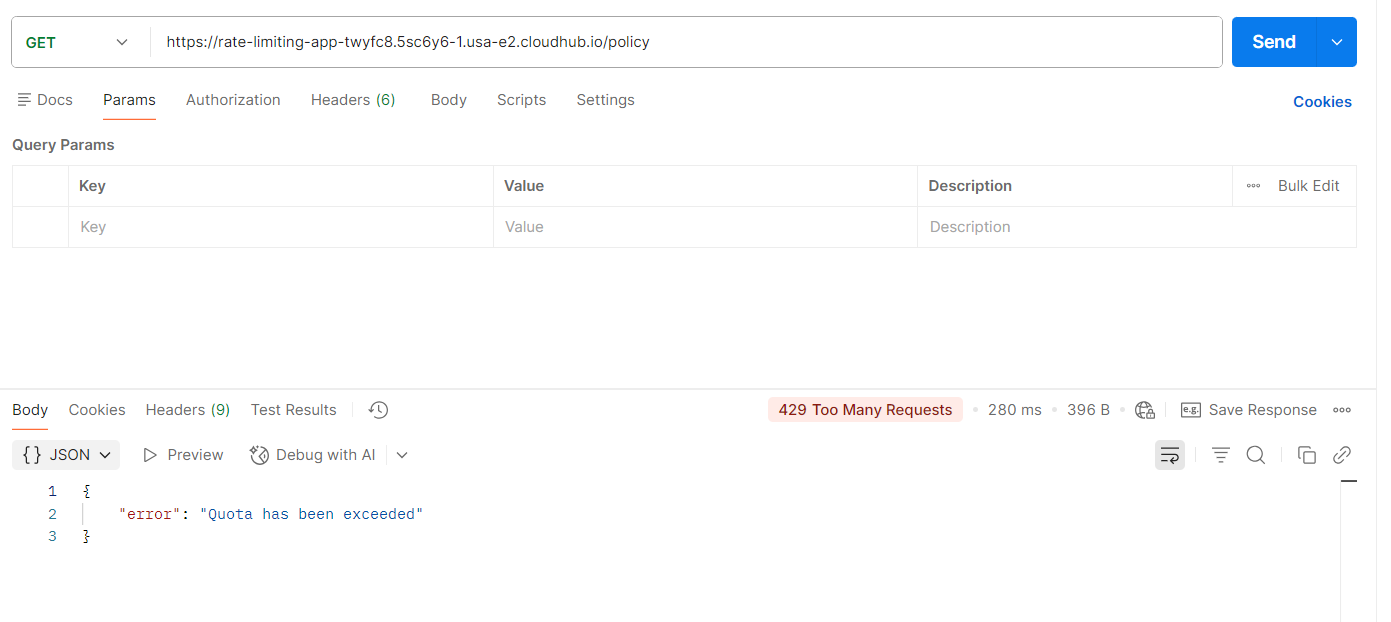

In this usecase, rate limiting policy is configured to allow 5 requests per minute. When a consumer sends requests within this one-minute window, the first five requests are processed successfully. If a 6th request is triggered within the same minute, the API rejects it with an HTTP 429 (Too Many Requests) error.
The response headers show the remaining request count and the reset time for the current window, helping API consumers manage requests and avoid throttling.
Rate Limiting is one of the most essential policies for managing API traffic in MuleSoft. By enforcing request limits, organizations can ensure their APIs remain secure, stable, and fair for all consumers. Combining rate limiting with other governance and security policies helps build a robust and scalable API.
Secure, Control & Scale Your APIs with Confidence
Struggling to manage API traffic, prevent misuse, or protect your backend systems? TGH helps you implement advanced API governance strategies like rate limiting, throttling, and security policies in MuleSoft to ensure high performance and reliability.
👉 Whether you’re building APIs or optimizing existing integrations, our experts design scalable, secure, and enterprise-grade API ecosystems tailored to your business.
📞 Call Us: +91 9310947352
🌐 Visit: www.techygeekhub.com
🔗 Get Expert Consultation: https://techygeekhub.com/contact-us/
Take control of your APIs with TGH — build secure, high-performance integrations today.