


Generating Multipart/Form-Data in Boomi Message Shape vs Groovy Script.
Introducing Multipart/Form-Data
In this blog, let us discuss how to create Multipart/Form-Data using Boomi.
- When we are dealing with files of different formats we need to create a Multipart/Form-Data in Boomi to send these files. Let us first understand what a Multipart/Form-Data is.
Multipart/Form-Data
Multipart/Form-Data is an encoding type used for uploading files and sending other data through an HTTP POST request. It is essential for handling complex data sets, allowing you to combine different data types in a single request.
Let’s see how a Multipart/Form-Data looks like and what are the different aspects we can see in it.
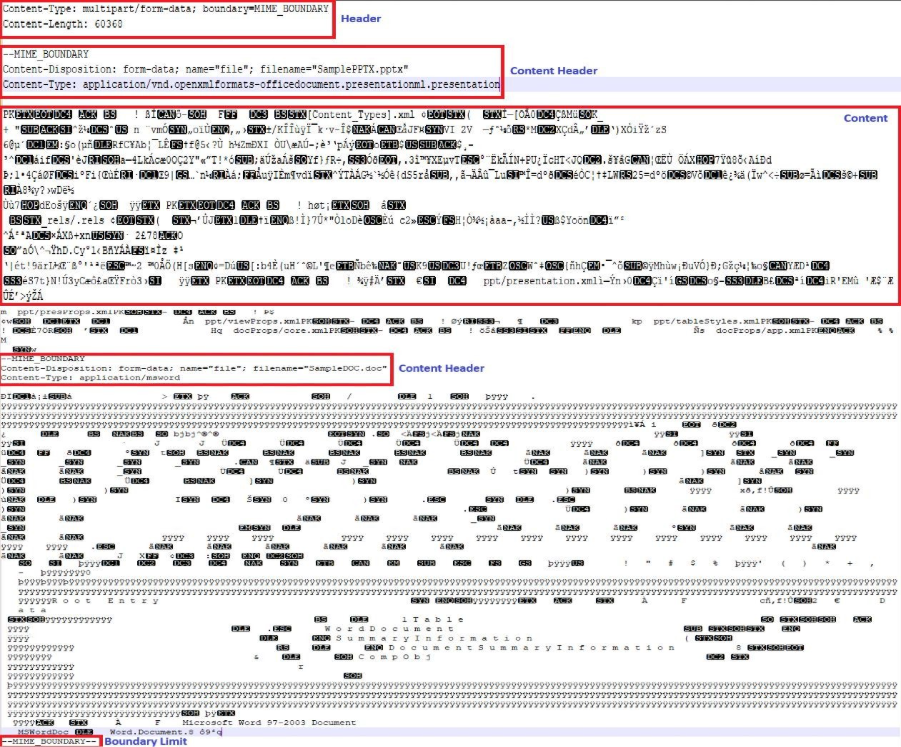
- Header:
- This part contains defines the parameters for the Multipart/form-data, which are as follows:
- Content-Type – This defines that it is media type of the request body.
- Boundary Delimiter – A unique string separating the different parts of the request. The start would be having –{{Boundary}} and end would be having –{{Boundary}}– (Closing Boundary).
- Content-Length – This specifies the size of the request body in bytes.
- Content-Header:
- This defines the content of the Data.
- It will start with a Boundary start.
- Content-Disposition: This indicates the presentation style of the content and provides meta-data like name and filename.
- Closing Boundary:
- This defines that the Multipart form Data is completed.
Generating Multipart/Form-Data in Boomi
In order to show how we can create a Multipart/Form-Data there are 2 APIs created in Boomi. The 2 APIs contains 2 different way to create the Multipart/Form-Data which are as follows:
- Message Shape:
- Utilizing message shape.
- Groovy Script:
- Utilizing Groovy Script in Data process shape.
Let’s see how we can create the Multipart/Form-Data in these 2 ways.
API Service Component
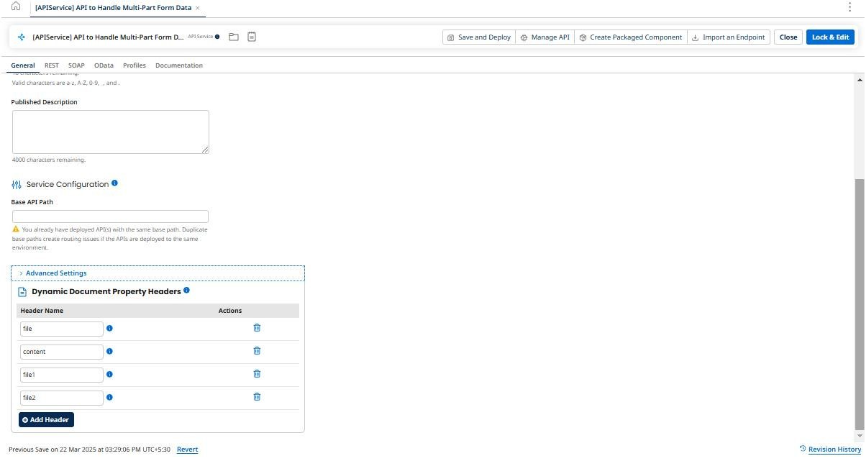
General:
This is a common API Service Component, in the general I have defined 4 headers.
- file – This is to send the file name to API exposed with Message Shape.
- content – This is to send the size to API exposed with Message Shape.
- file1 – This is to send the first file name to API exposed with Data Process.
- file2 – This is to send the second file name to API exposed with Data Process.
REST Configuration:
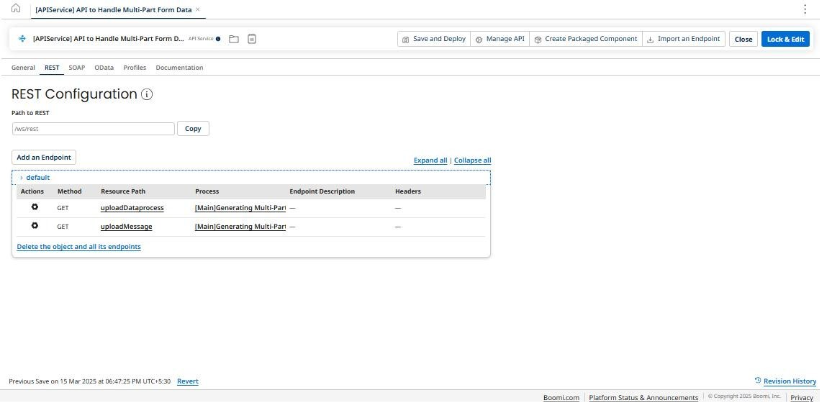
This is where the endpoints are configured as you can see there are 2 endpoints which has been exposed with Get Method.
The first API utilizes Message shape, and the second API uses Groovy Script with Data Process Shape.
API with Message Shape
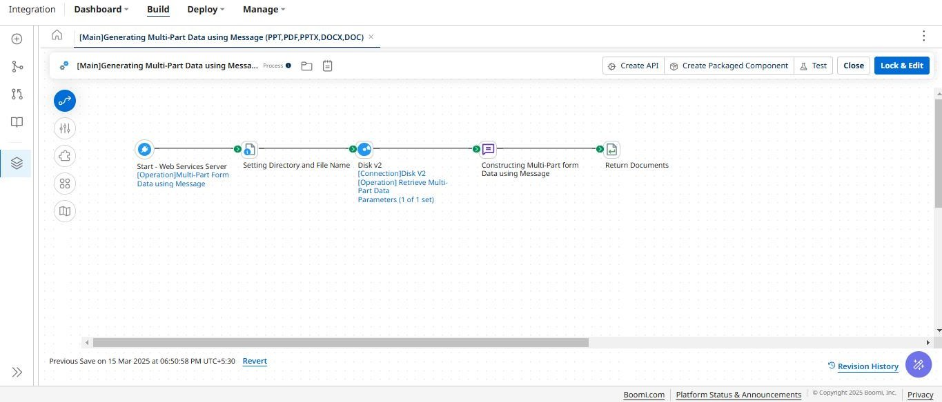
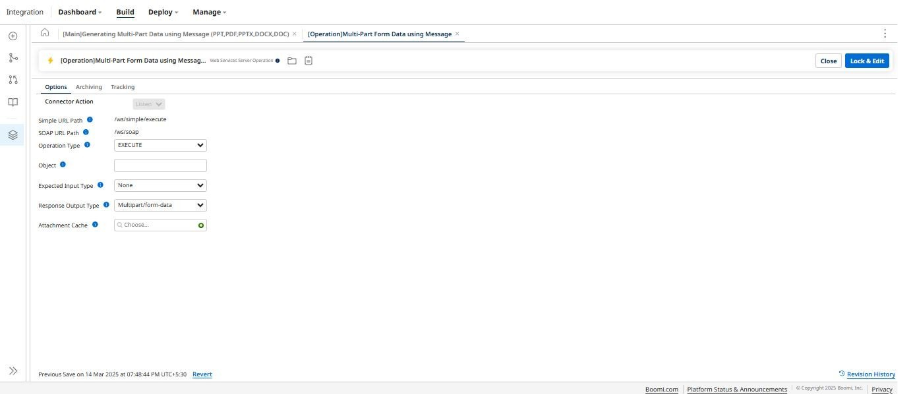
This process consists of a Start shape with WSS. The operation configured is as follows:
After Start shape there is a Set Properties which is going to set the file name, which is coming from the Header, the Directory path for the file to be retrieved and the content size which is coming from the header.
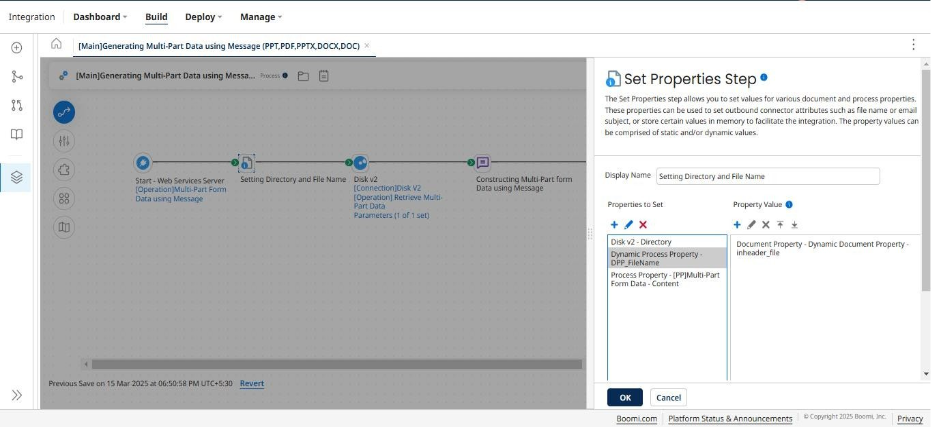
Then, there is a disk connector which is going to retrieve the file from the local disk. Here is the list of files that are currently present.

After, retrieving the files we have a Message Shape which is going to construct the Multipart/form-data.
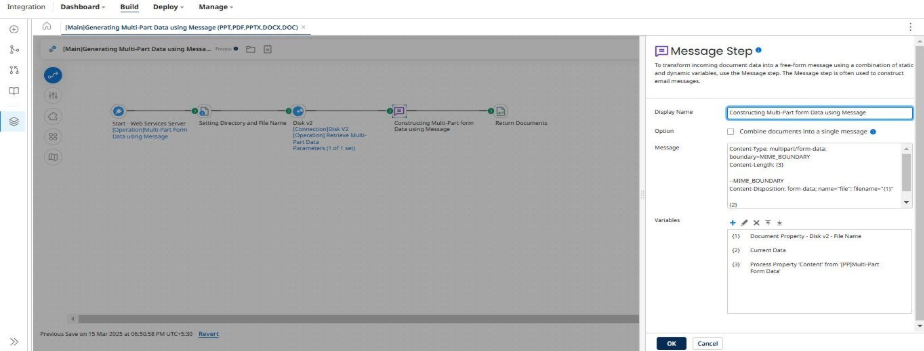
The configuration inside message shape is as follows.
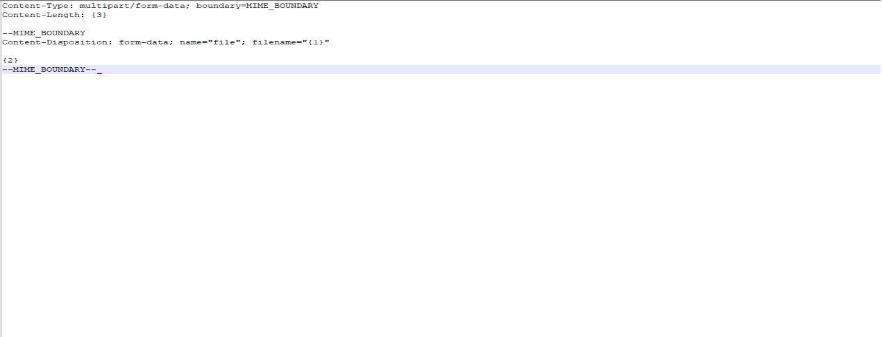
As you can see this has different parts, initially it starts with the Header, Boundary Delimiter, Content and the Closing Boundary.
After that there is a Return Document which will return the Multipart/form-data.
This Process and API Service Component is deployed.
Now, I’ll to consume this API using Postman and postman would be getting the response as Multipart/form-data.
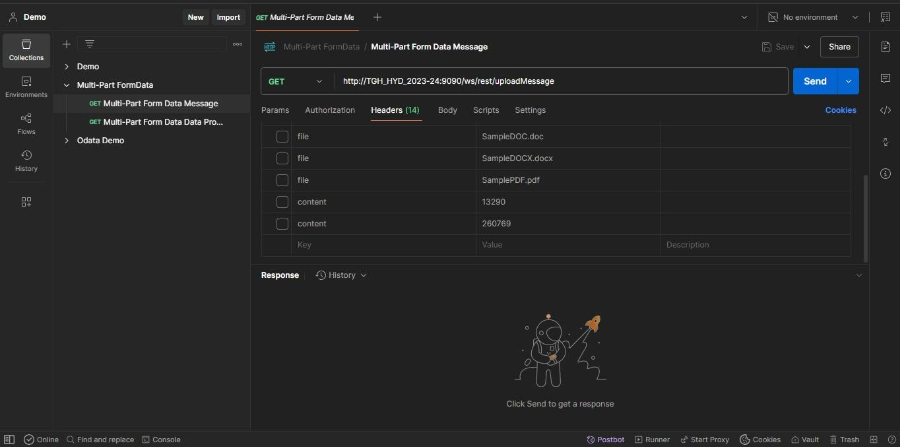
I am sending 2 headers which are filename and content size using file and content header.
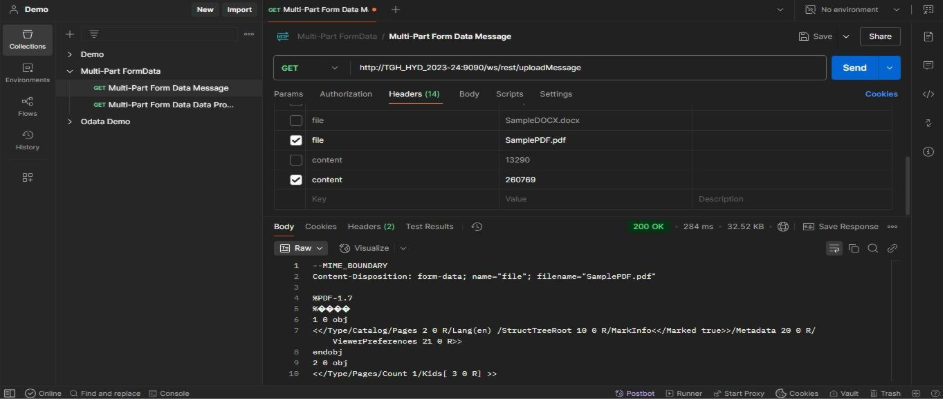
As you can see, we are able to successfully hit the API, and we are getting Multipart/Form-data as the response. But there are some limitations while using Message shape to create this form data. Let’s dive into these limitations.
- Content Size: Since we are statically defining the content size it needs to be constantly updated Manually in case of files having more size unless it will throw an error that the server returned a malformed response.
- If we are dealing with Multiple file formats it will be difficult to construct the Multipart/Form-data.
- Message shape also supports some character set, and it can cause errors according to the file content.
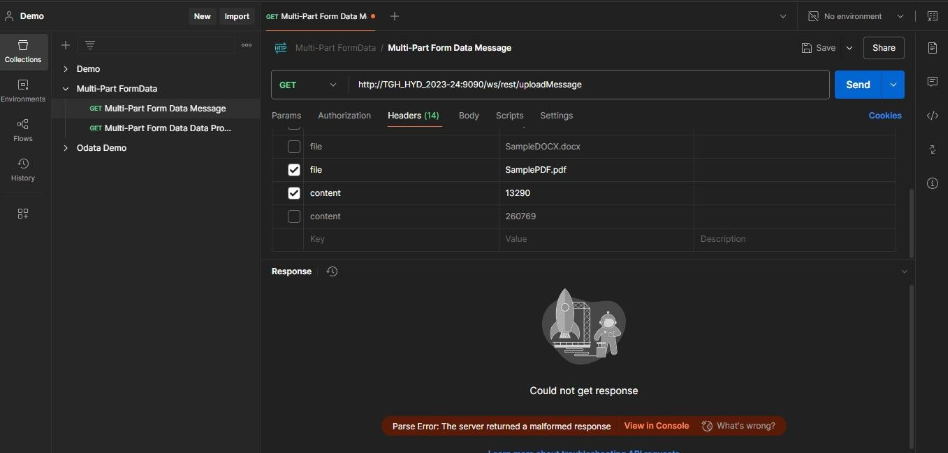
API with Data Process Shape
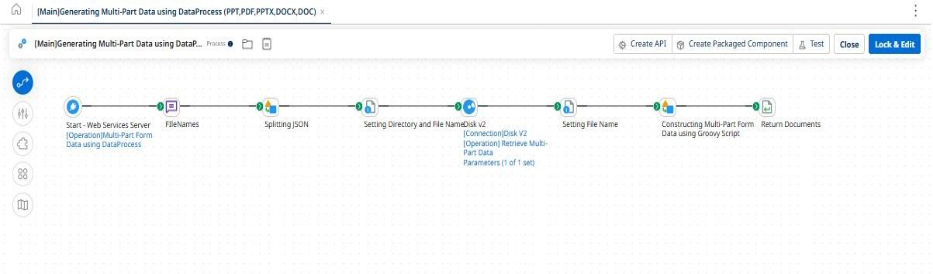
To overcome this limitation while using Message shape, we can utilize a Data Process shape and Groovy Script.
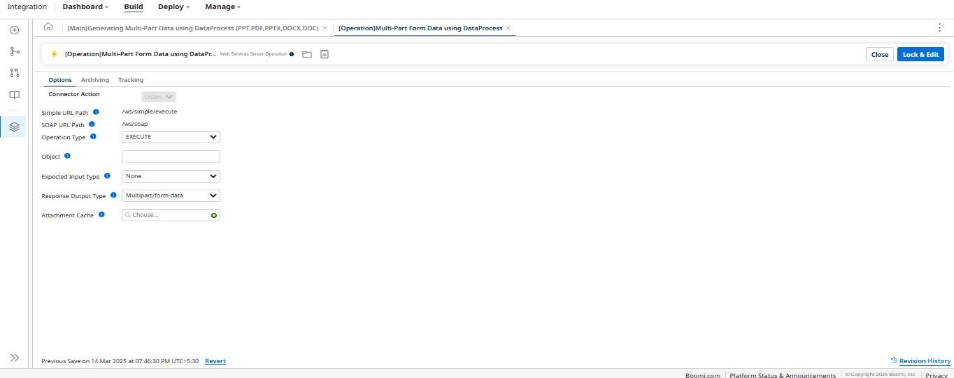
This process consists of a Start shape with WSS. The operation configured is as follows:
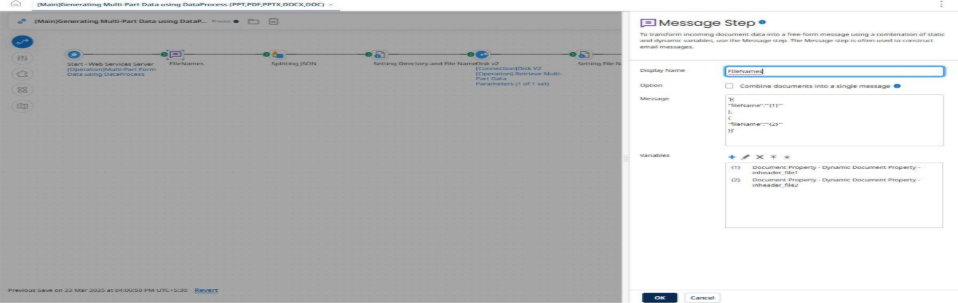
After Start Shape, there is a message shape to capture the file names from Headers.
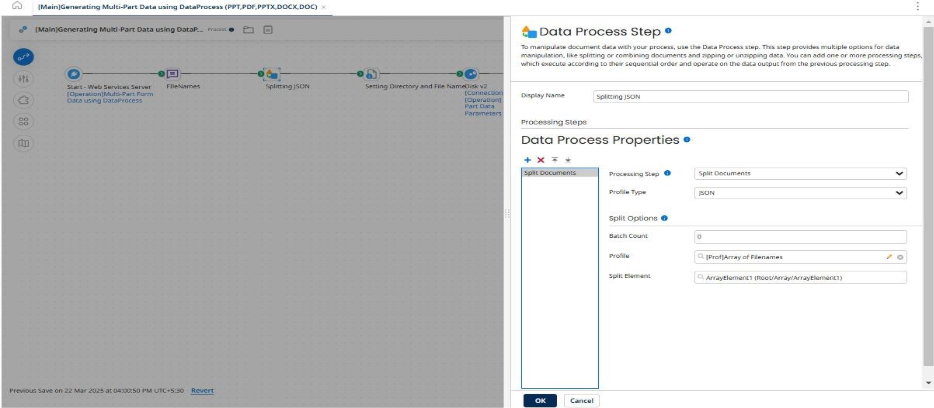
Then, there is a Data Process to split the JSON payload coming with the file names.
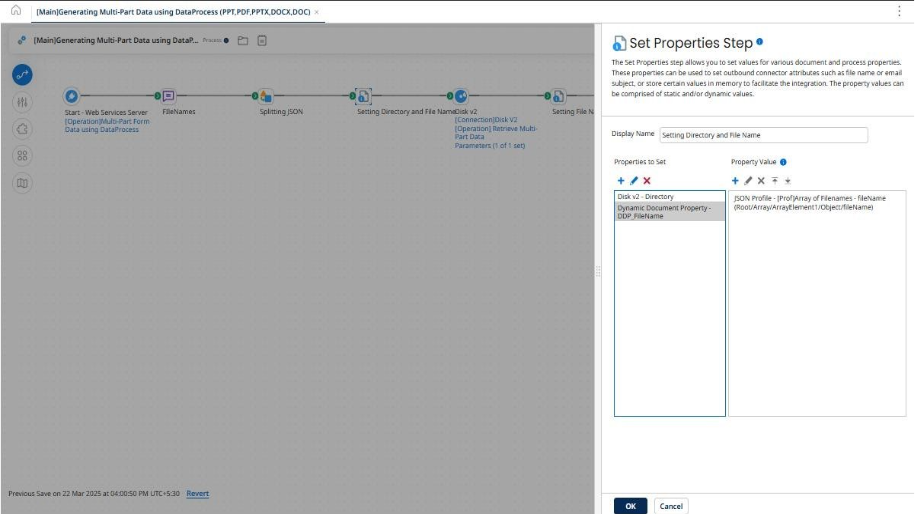
After the Data Process Split, there is a Set Properties to set the File Name and Directory for the Disk to retrieve the files.
Then, we are retrieving the file using a Disk Connector and setting the File Names of the retrieved files using a Set Properties.
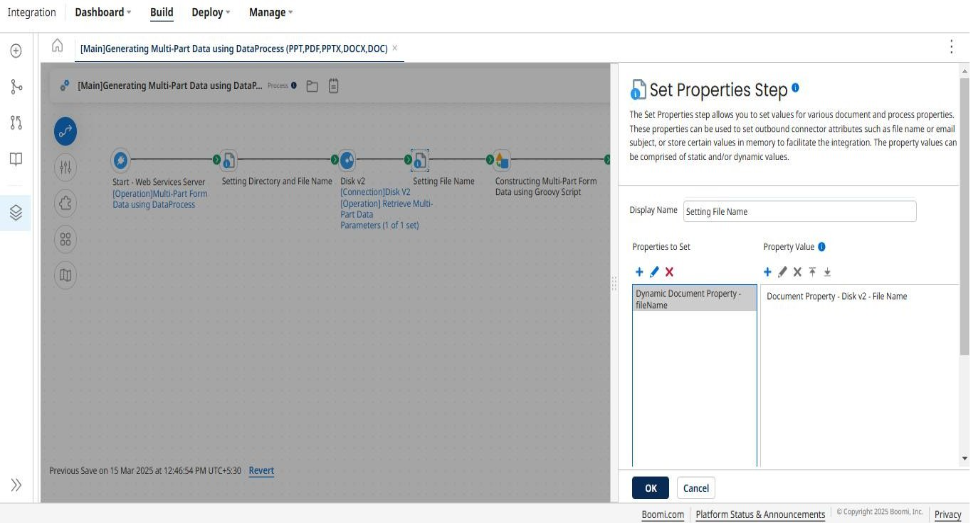
Now, in order to create the Multipart/form-data we are using a Data Process Shape with Groovy 2.4.
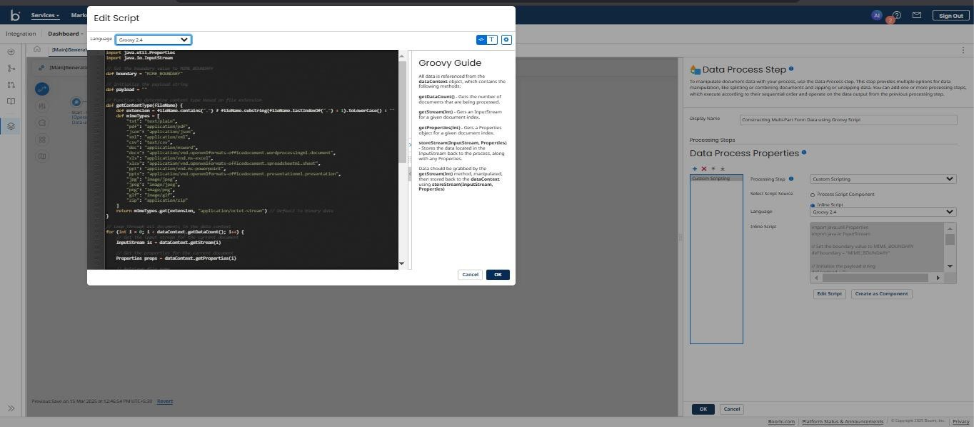
Now let’s see the code:
import java.util.Properties

import java.io.InputStream

import java.io.ByteArrayInputStream

// Set the boundary value to MIME_BOUNDARY

def boundary = "MIME_BOUNDARY"

// Initialize the multipart payload

def payload = new StringBuilder()

// Function to determine content type based on file extension

def getContentType(fileName) {

    def extension = fileName.contains(".") ? fileName.substring(fileName.lastIndexOf(".") + 1).toLowerCase() : ""

    def mimeTypes = [

        "txt": "text/plain","pdf": "application/pdf","json": "application/json","xml": "application/xml", "csv": "text/csv","doc": "application/msword","docx": "application/vnd.openxmlformats-officedocument.wordprocessingml.document",

        "xls": "application/vnd.ms-excel","xlsx": "application/vnd.openxmlformats-officedocument.spreadsheetml.sheet","ppt": "application/vnd.ms-powerpoint","pptx": "application/vnd.openxmlformats-officedocument.presentationml.presentation",

        "jpg": "image/jpeg","jpeg": "image/jpeg","png": "image/png", "gif": "image/gif","zip": "application/zip"

    ]

    return mimeTypes.get(extension, "application/octet-stream") // Default to binary data

}

// Loop through all documents in the data context

for (int i = 0; i < dataContext.getDataCount(); i++) {

    // Get the input stream for the current document

    InputStream is = dataContext.getStream(i)

    // Get the properties for the current document

    Properties props = dataContext.getProperties(i)

    // Retrieve file name

    def fileName = props.getProperty("document.dynamic.userdefined.fileName") ?: "unknown_file"

    // Determine content type based on file extension

    def contentType = getContentType(fileName)

    // Read the binary content of the current document

    def fileContent = is.bytes

    // Append each file part to the payload

    payload.append("--${boundary}\r\n")

    payload.append("Content-Disposition: form-data; name=\"file\"; filename=\"${fileName}\"\r\n")

    payload.append("Content-Type: ${contentType}\r\n\r\n")

    // Convert binary data to string using ISO-8859-1 encoding

    payload.append(new String(fileContent, "ISO-8859-1"))

    payload.append("\r\n")

}

// Add the closing boundary once at the end

payload.append("--${boundary}--\r\n")

// Calculate the content length

def contentBytes = payload.toString().getBytes("ISO-8859-1")

def contentLength = contentBytes.length

// Construct the headers

def headers = "Content-Type: multipart/form-data; boundary=${boundary}\r\n"

headers += "Content-Length: ${contentLength}\r\n\r\n"

// Combine headers and payload

def finalOutput = headers + payload.toString()

// Create an InputStream from the final output string

def outputStream = new ByteArrayInputStream(finalOutput.getBytes("ISO-8859-1"))

// Store the multipart form data in the Data Process shape

dataContext.storeStream(outputStream, new Properties())
Then, we have a return document to return the Multipart/form-data back as a response.
This process and the API Service component is deployed.
Now, I’ll to consume this API using Postman and postman would be getting the response as Multipart form-data.
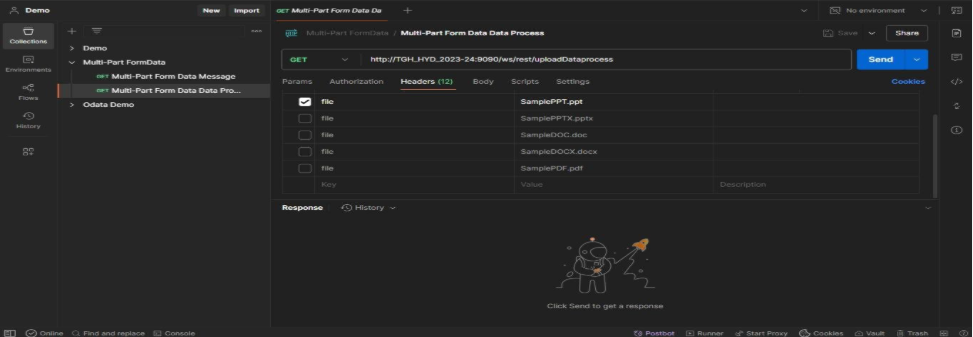
Now, let’s see the API response when I am sending a PDF filename.
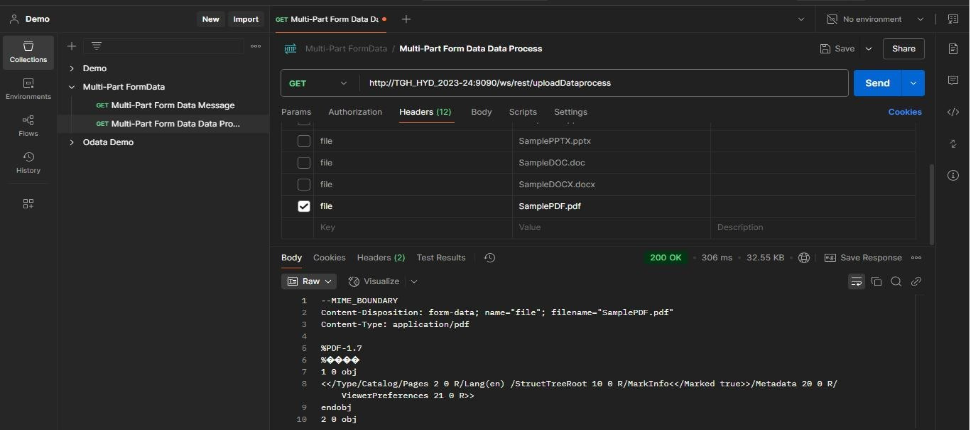
Let’s see the API response when I am sending a PPTX filename.
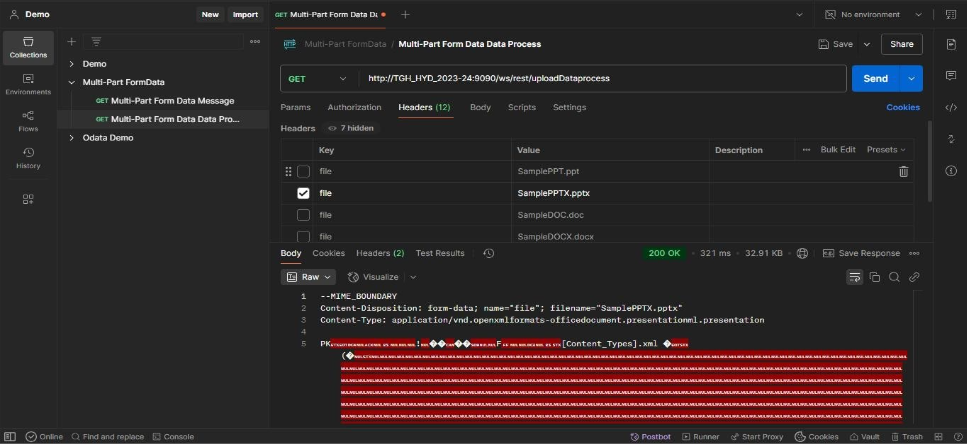
Here, if you see we are not statically passing any Content Size, the script itself will dynamically calculate the Size according to the payload that is being sent.
The script itself will be able to dynamically generate the Multipart/form-data if we pass multiple files as well which ensure there is configuration change needed.

Author