How to Commit Staged Entities in MDH.
In this blog we will see how to commit staged entities in Boomi MDH
First lets try to understand how to configure staging in Boomi
First we need to configure staging are to the source
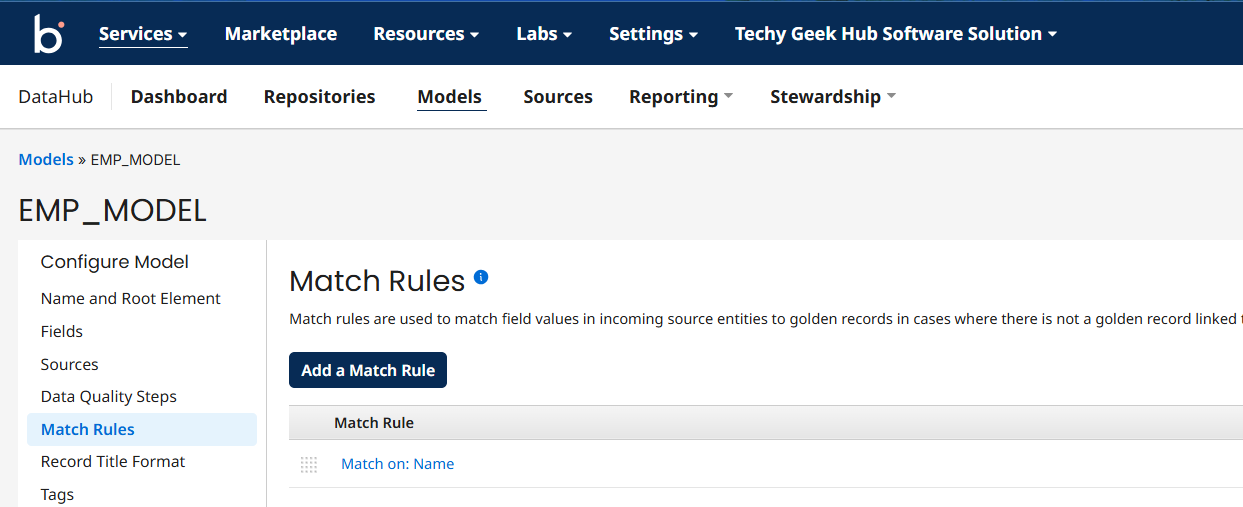
Overview of Model
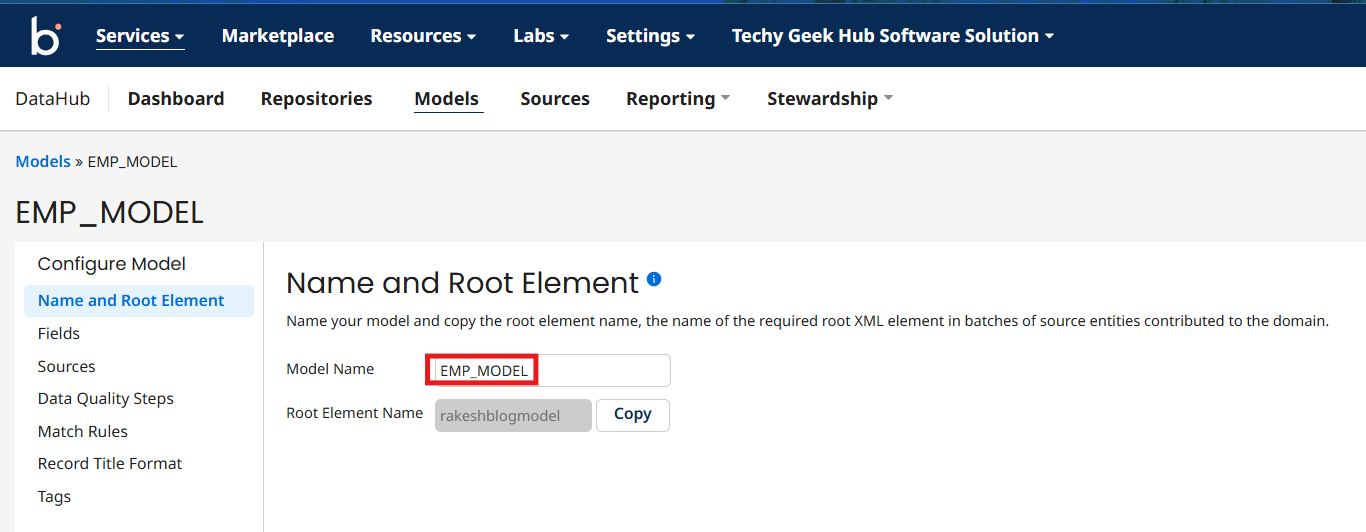
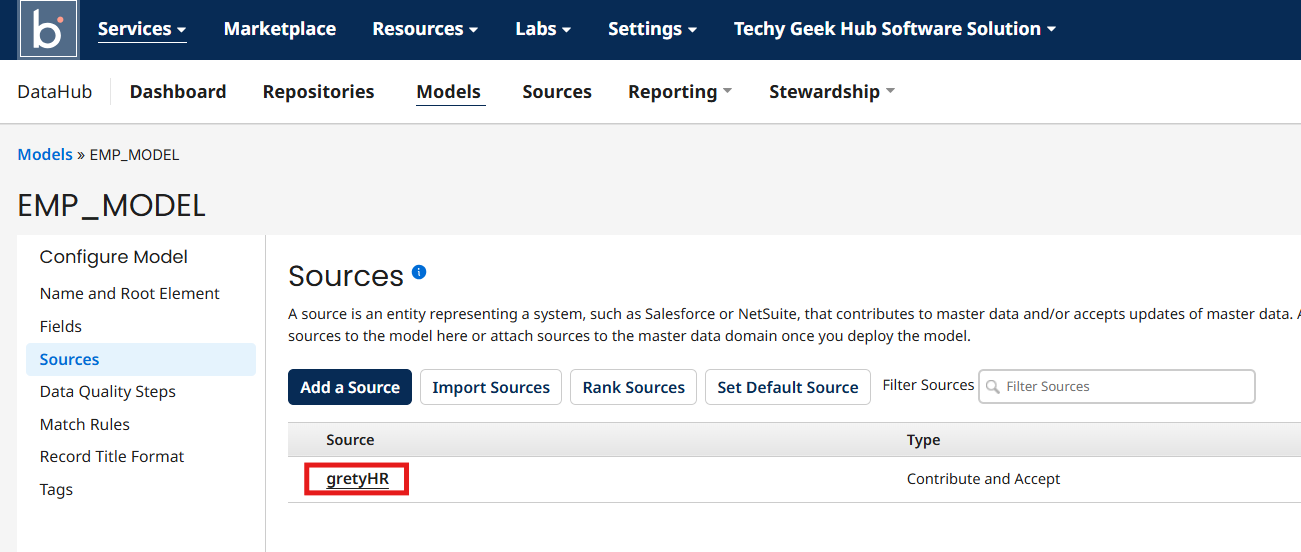
Create a Model with Name EMP_MODEL and source gretyHR
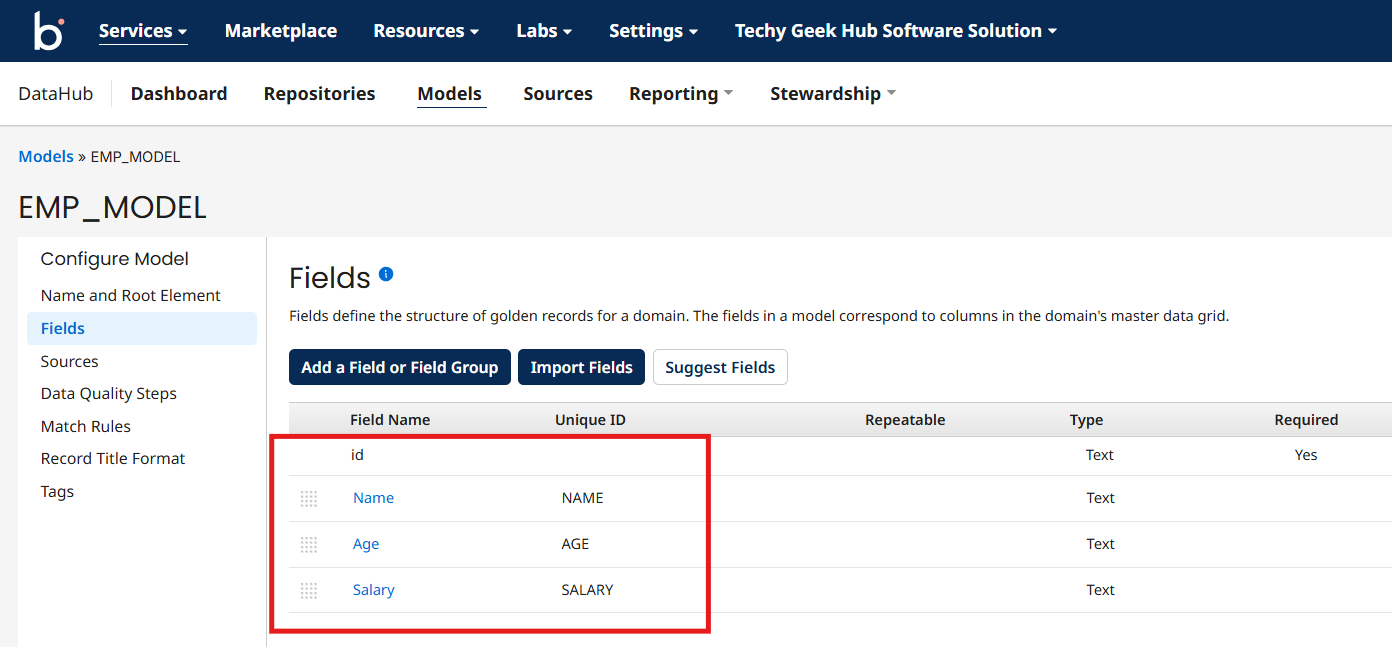
Add the fields like Name, Age, and Salary
And add the match rule on Age then publish and deploy the model
Adding Staging Area to the Source:
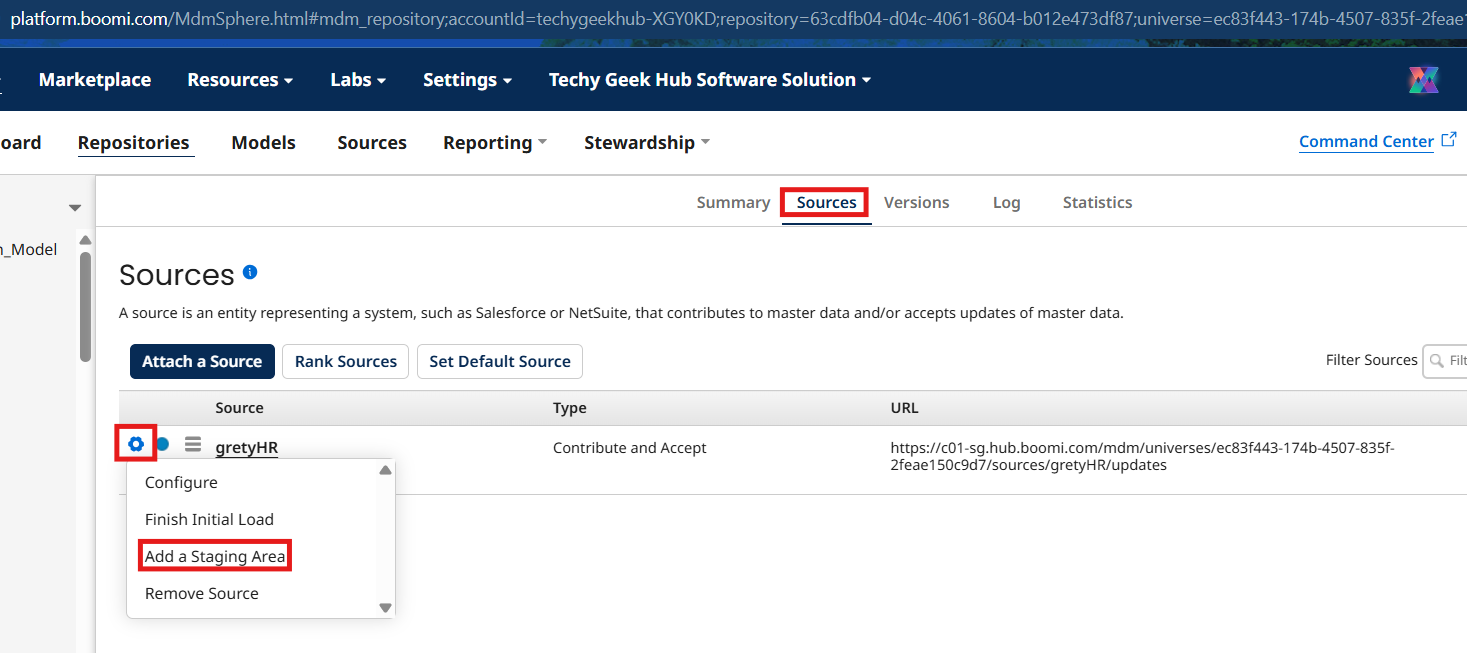
Now Navigate to repositories, select your repository and choose search for EMP_MODEL and navigate to Sources tab
Now click on gear icon and select add a Staging Area
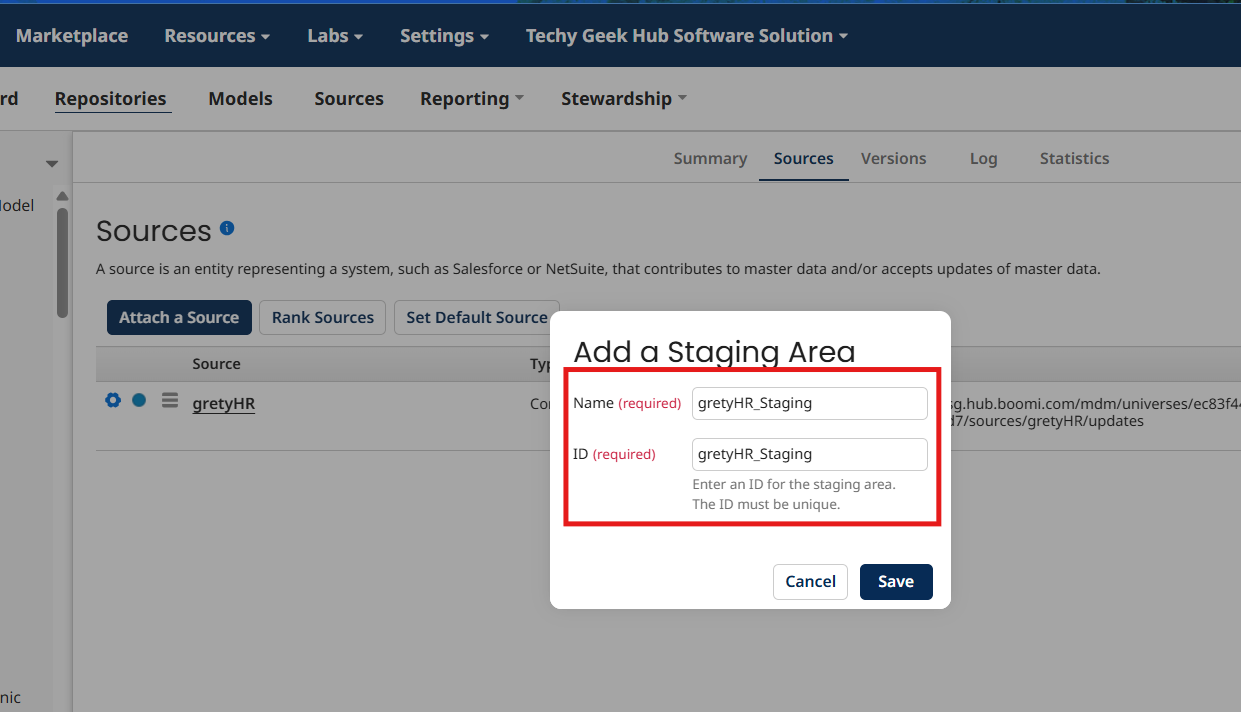
Give name and Id as gretyHR_Staging and click on save
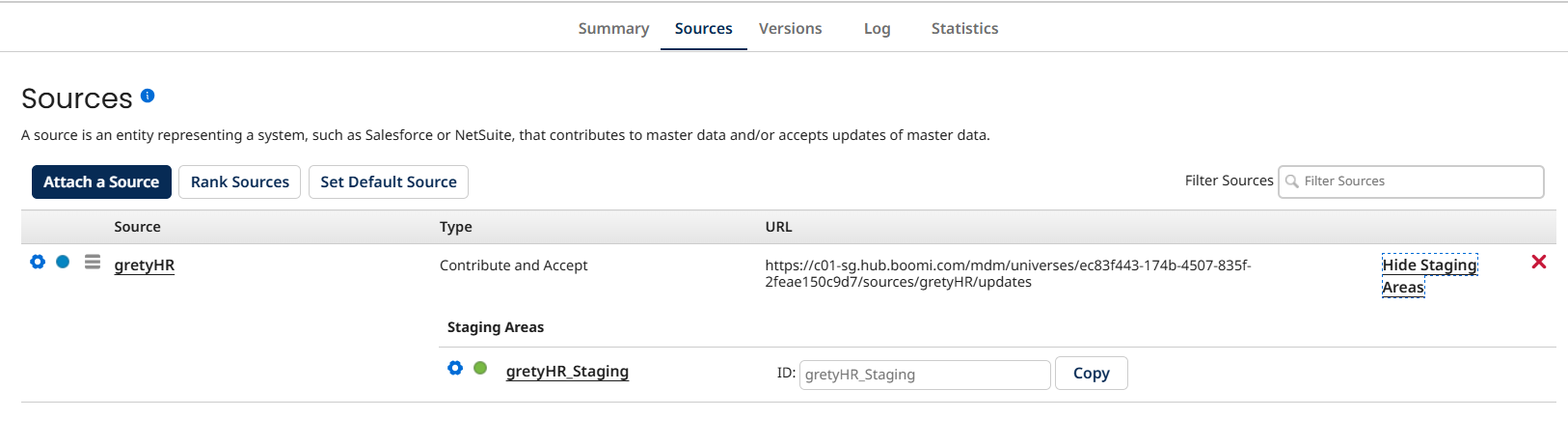
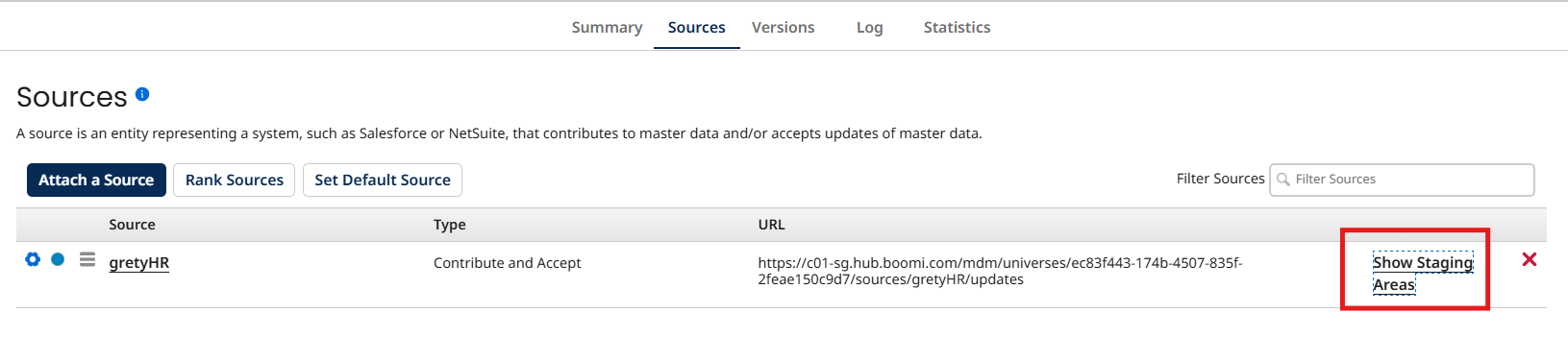
Now you can see the staging area attached to the source
To see it you can click on show Staging Areas
Now create an integration process which will send the records from gretyHR Source to MDH EMP_MODEL
Send this data
id,name,age,salary
1,Rocky,21,12640
You can see the staged entities in the stewardship tab > staged entities
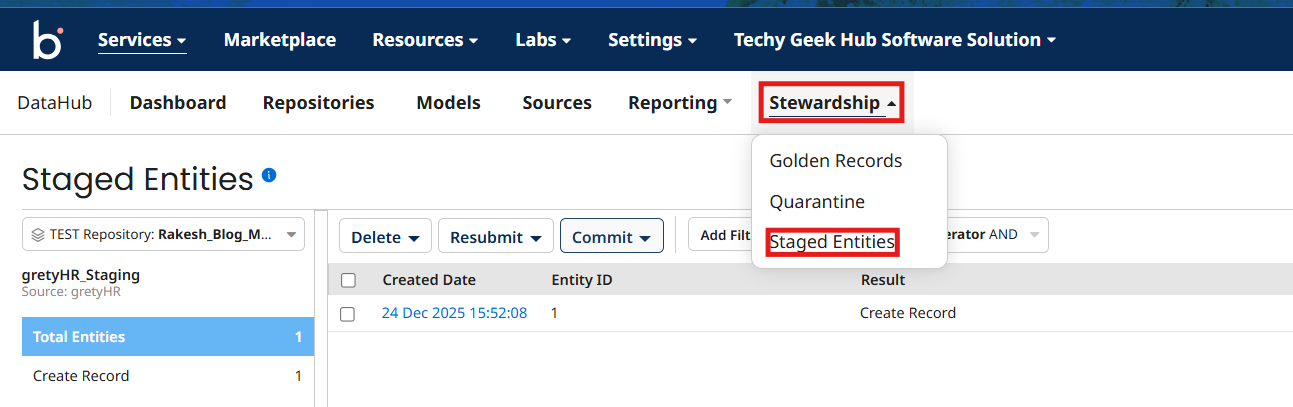
You can see the record got created in staged entities
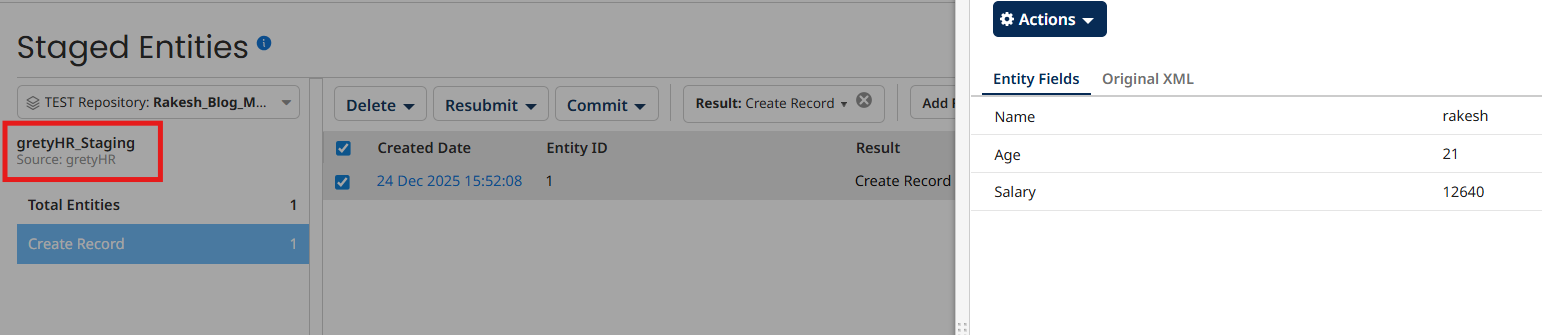
Now we can commit the staged entities in 2 ways
In the UI
Using Rest API
Commit Via UI
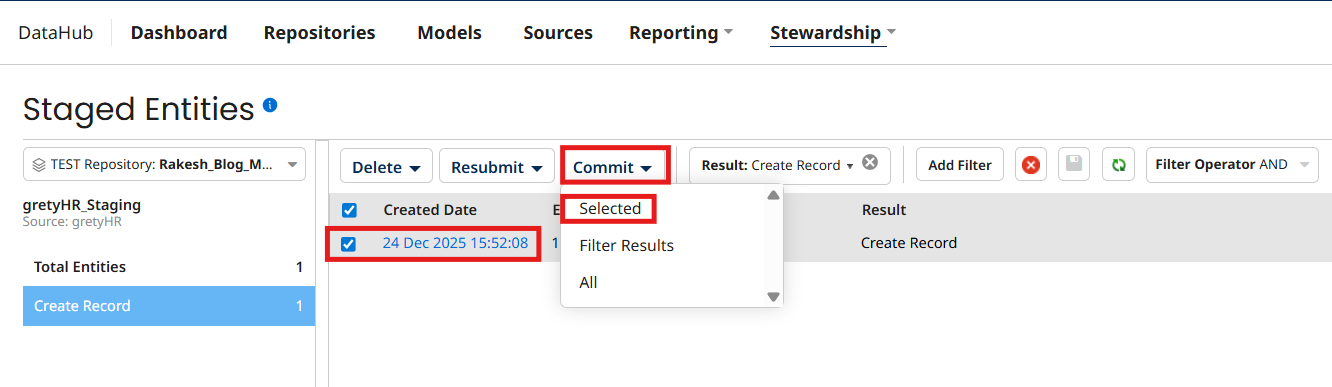
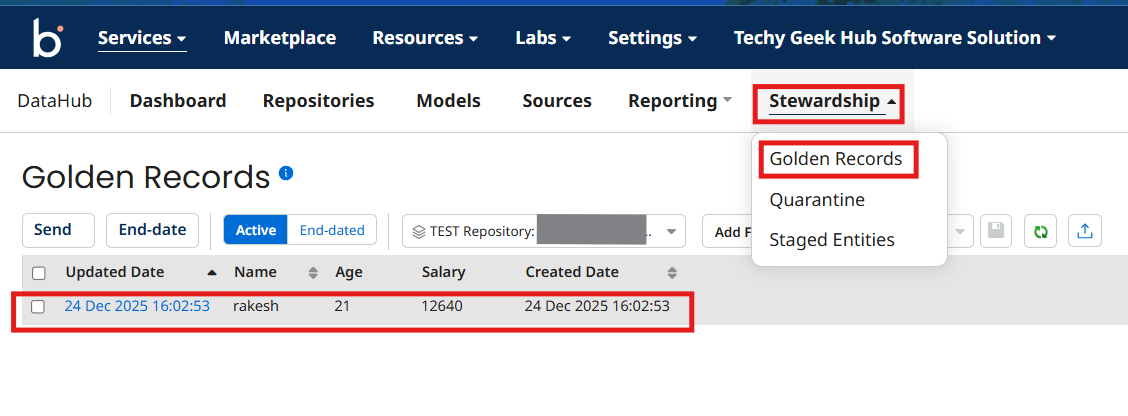
In the UI You as a steward will review the records and select the records which you want to commit then click on Commit and click on selected tab and then click on ok
Now you can see the record got created in golden records
Commit using API
The other way is using rest API
Boomi provides Rest API and by consuming them we can create golden records
EndPoint : https://c01-sg.hub.boomi.com/mdm/universes/<universeId>/staging/commit
Request body:
<StagingActionRequest >
<sourceId>gretyHR</sourceId>
<stagingAreaId>gretyHR_Staging</stagingAreaId>
<filter>
<entityResult>COMPLETED.*</entityResult>
</filter>
</StagingActionRequest>
Create a new integration process and provide the request body in the message shape
Now Drag and drop HTTP client connector to the process canvas and choose the action as send
Click on plus icon in connection tab to create connection component and click on basic authentication
Provide proper name to the Connection component
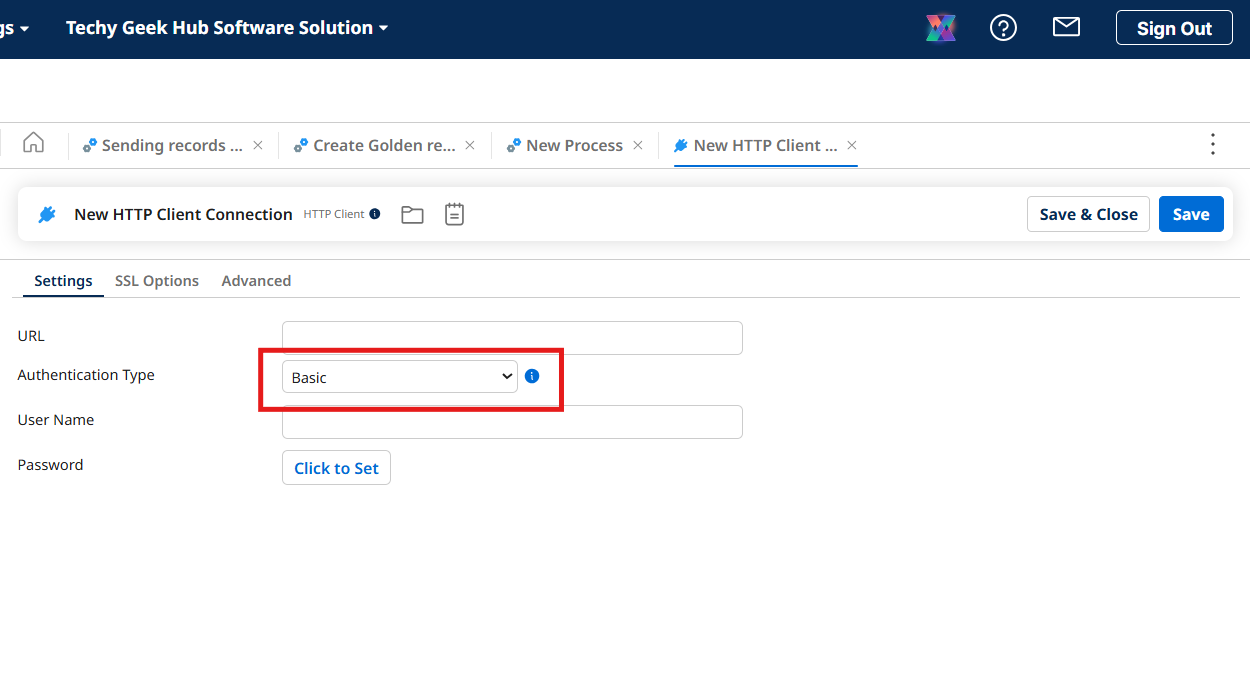
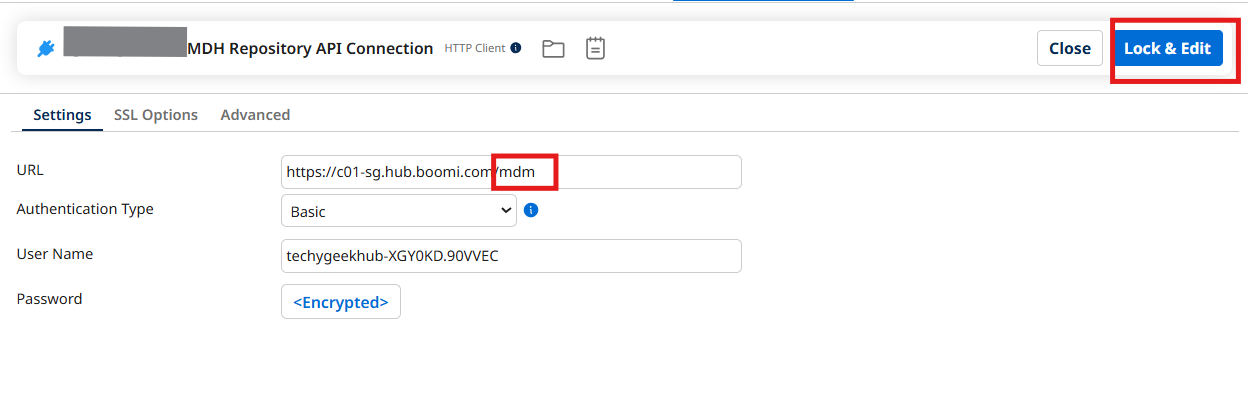
Now go to Data Hub Service and choose your repository and navigate to configure and copy Base URL, user name and My Hub Authentication token and paste them in the HTTP client connection component
Concatinate /mdm to the base URL, click on lock and edit save and close
Now click on plus icon operation and configure as shown below
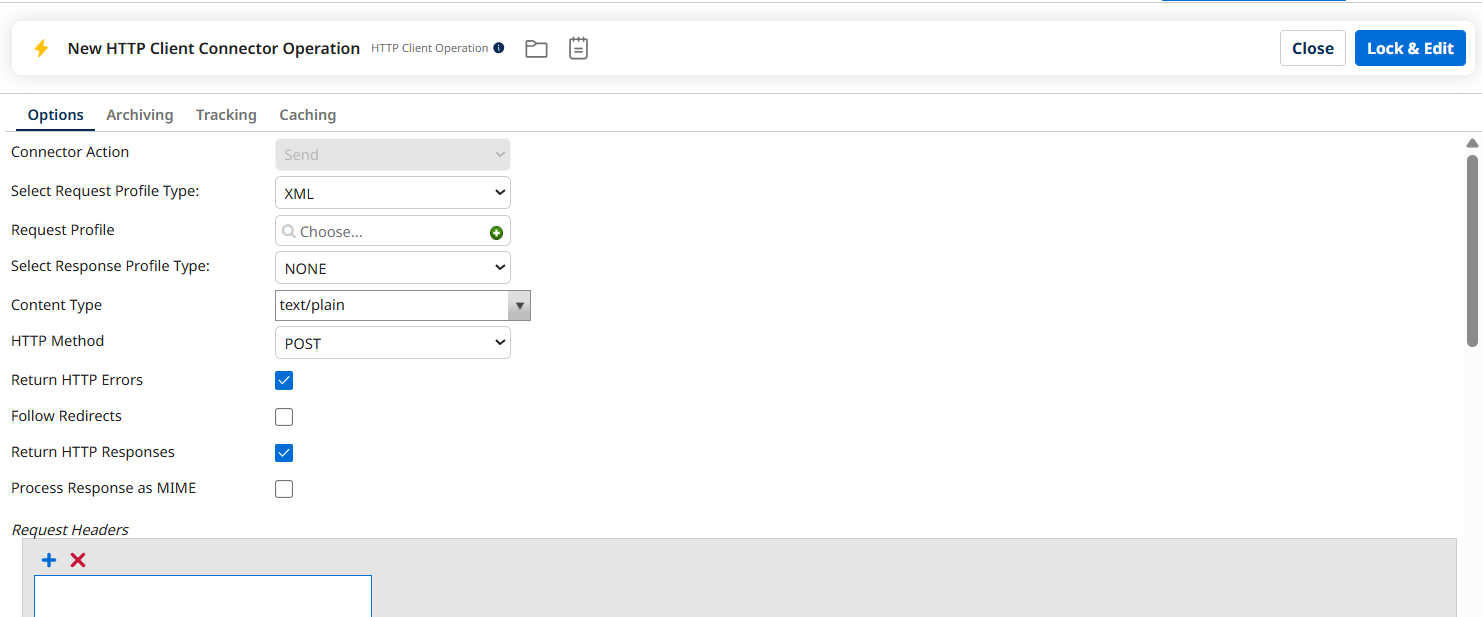
Give the resource path as shown below
universes/<UniverseId>/staging/commit
Click on lock and edit and save and close
Now arrange the shapes and components as shown below
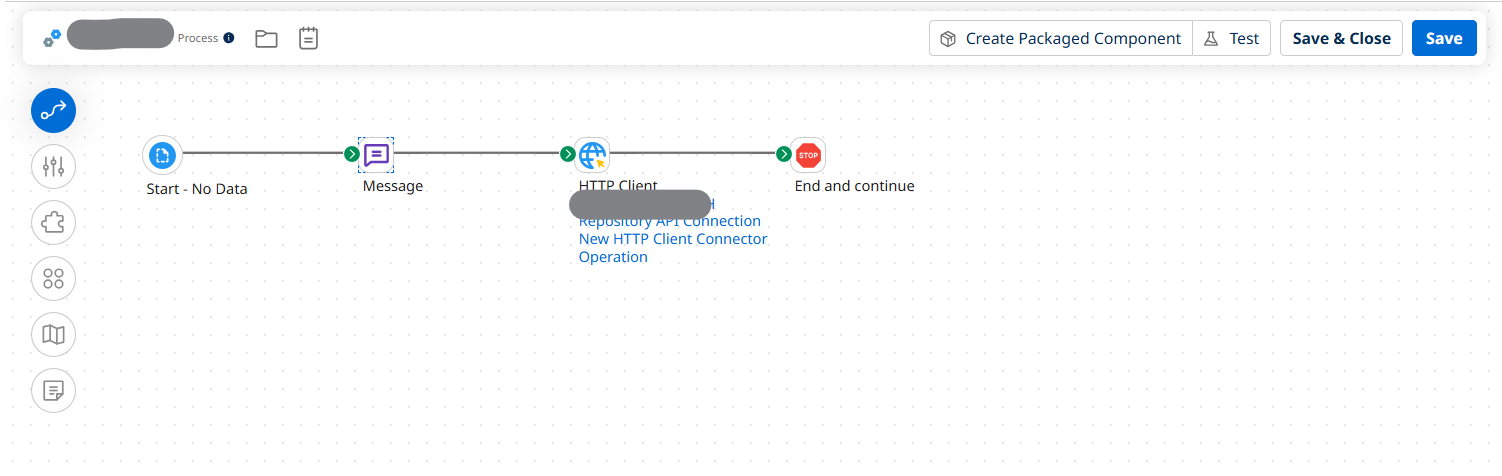
Click on lock and edit, save and close the process
Now delete the golden record
Now you will no more find the active golden records in the EMP_MODEL Model
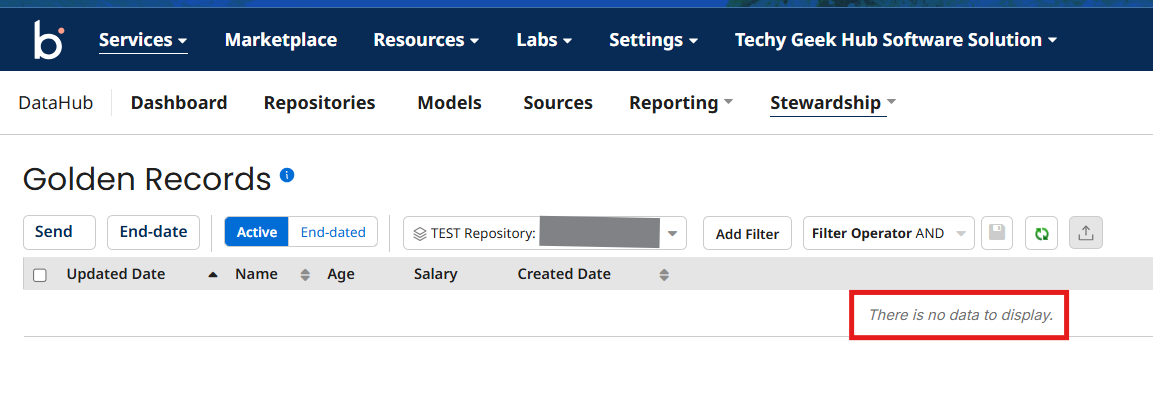
Now send the same record which you sent before to MDH by the staging source
Now test the process which you build to commit the Staged Entities
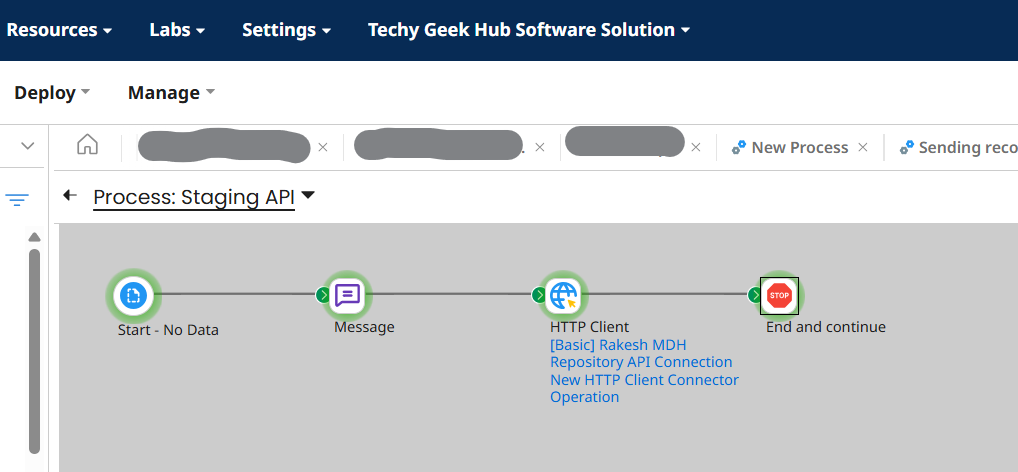
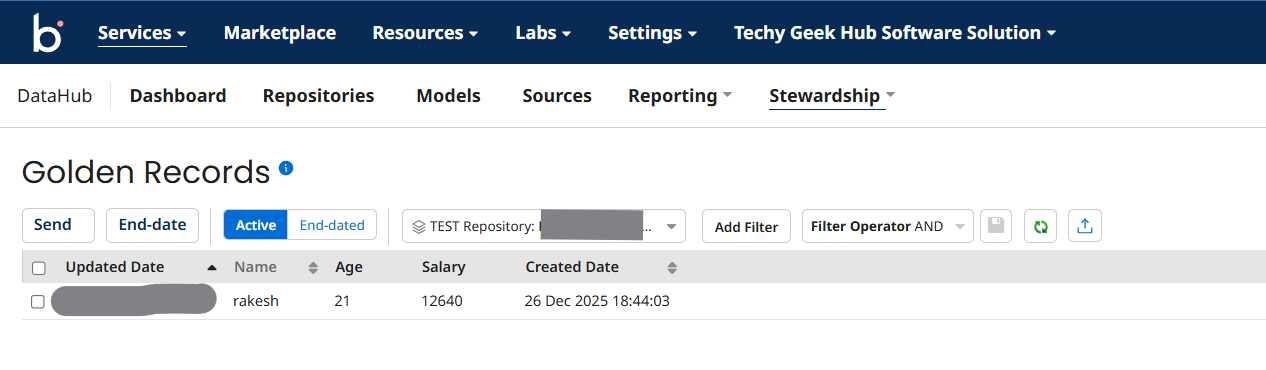
You can see the the staged entity is commited to golden record
Take Control of Your Boomi MDH Data with Confidence
Struggling with staging, committing entities, or building reliable golden records in Boomi MDH? Let the experts at TGH help you streamline your data governance, optimize integrations, and eliminate data inconsistencies.
👉 Whether you’re implementing MDH for the first time or enhancing your existing setup, our specialists ensure seamless, scalable, and enterprise-grade solutions tailored to your business.
📞 Call Us: +91 93109 47352
🌐 Visit: www.techygeekhub.com
🔗 Get Expert Consultation: https://techygeekhub.com/contact-us/
Transform your Boomi MDH strategy into a powerful data engine — connect with TGH today.